Skip to content
View in the app

A better way to browse. Learn more.

BariatricPal

A full-screen app on your home screen with push notifications, badges and more.

To install this app on iOS and iPadOS
  1. Tap the Share icon in Safari
  2. Scroll the menu and tap Add to Home Screen.
  3. Tap Add in the top-right corner.
To install this app on Android
  1. Tap the 3-dot menu (⋮) in the top-right corner of the browser.
  2. Tap Add to Home screen or Install app.
  3. Confirm by tapping Install.

Join BariatricPal free

  • Ask your own questions
  • Reply and follow topics
  • Message other members
  • No cost, no spam

❤ JANUARY 2019 CHALLENGE ❤

  • Popular Post

Hi everyone ! Lets keep the momentum going! January challenges help start the year off right!

Info needed: Surgery status, losing/maintaining, weight, goal (challenge specific)

Start Jan 2nd -Starting weight

End Feb 1st - Ending weight

To kick it up notch there will be incentives!!! From a city I have a complicated relationship with lol...

shhhhh, it's a surprise for the winners

Adding a few fun rules I found on Instagram (follow her!) you can throw in to maximize participation!!! Let's keep it fun!!!

Stay engaged and accountable. Participate as much as you like!

Even pre ops can participate with the 30 Day Challenge rules as well!

Allons y !!!

Screenshot_2018-12-21-01-47-56~2.png

Screenshot_2018-12-18-11-09-36~2.png

Edited by GreenTealael

  • Replies 704
  • Views 33.5k
  • Created
  • Last Reply

Top Posters In This Topic

Most Popular Posts

  • I had gastric bypass March 6, 2017. My starting weight was 500 lbs. Day of surgery I weighed 417. I currently weigh 344. I have gained 40lbs in 6 months. My goal for January is to stick with my diet a

  • GreenTealael
    GreenTealael

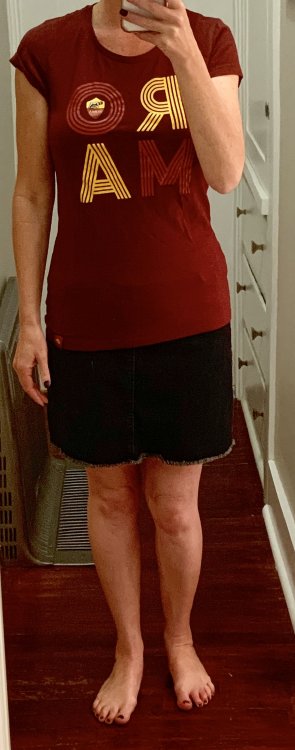
    I'm sooooo jealous of those legs...

  • Healthy_life
    Healthy_life

    #9 How I'm Keeping on plan: Some fear of weight gain keeps me on plan. I gain quickly and it's slow to come off. I log, exercise, keep motivational things on my fridge, set goals, and this challe

Posted Images

Featured Replies

Hi MyLightHouse! I see you used the same surgeon! :) I'm in Bryan myself. My surgery was 12/10/18.

  • Popular Post

MY #11 Stop/Drop/Chug Selfie

At work, and that is only water in there. It helps get my 64oz in. Though, I usually can handle 2 of those by 5 pm.

IMG_0739.jpg

23 minutes ago, shanza said:

Hi MyLightHouse! I see you used the same surgeon! :) I'm in Bryan myself. My surgery was 12/10/18.

Hi :)That's awesome! I love Dr. Parrent and his staff. You just had your surgery... very cool!

No. My name...
I'm a fluffy chix...
get it? [emoji3]
Ooooh I thought they were your chooks ?
  • Popular Post

Righto so it wasn't so much stop, drop and chug as "go upstairs and find something to put on, and, no that angle makes you look fat, try another one, and chug [emoji16] 20190111_184041.thumb.jpeg.c288cbbd067a3f176e51e9796a8f496a.jpeg

  • Popular Post

#StopDropChug

I put a dot on my bottle every time I fill it. Whoever fills it up gets to put the dot so obvs, my kids argue over whose turn it is to fill it so they can put the dot. Then they "encourage" me to hurry up and drink faster. ? Goal is 5/day!

20190111_135926.jpg

Ok. So 1st pic, slogged ice tea down my boobs, 2nd attempt, dropped the phone, 3rd time this is what ya get!!!

Oh yeah - read this article, does she need therapy or what? https://m.huffpost.com/us/entry/us_5c2a5692e4b0407e9084ffb7

20190111_171844-1.jpg

  • Popular Post

guys.... I bought a pizza slice blanket today that you wear like a mermaid tail except it's way cooler because it's pizza. but my butt doesn't fit. NEW GOAL UNLOCKED.

  • Author

I would totally cry from all the awesome participation, but my tears would just turn to ice ...

Join the conversation

You can post now and register later. If you have an account, sign in now to post with your account.

Guest
Reply to this topic...

Account

Navigation

Search

Search

Configure browser push notifications

Chrome (Android)
  1. Tap the lock icon next to the address bar.
  2. Tap Permissions → Notifications.
  3. Adjust your preference.
Chrome (Desktop)
  1. Click the padlock icon in the address bar.
  2. Select Site settings.
  3. Find Notifications and adjust your preference.