Skip to content
View in the app

A better way to browse. Learn more.

BariatricPal

A full-screen app on your home screen with push notifications, badges and more.

To install this app on iOS and iPadOS
  1. Tap the Share icon in Safari
  2. Scroll the menu and tap Add to Home Screen.
  3. Tap Add in the top-right corner.
To install this app on Android
  1. Tap the 3-dot menu (⋮) in the top-right corner of the browser.
  2. Tap Add to Home screen or Install app.
  3. Confirm by tapping Install.

Join BariatricPal free

  • Ask your own questions
  • Reply and follow topics
  • Message other members
  • No cost, no spam

My 6 month before and after my Gastric Sleeve (Photos)

  • Popular Post

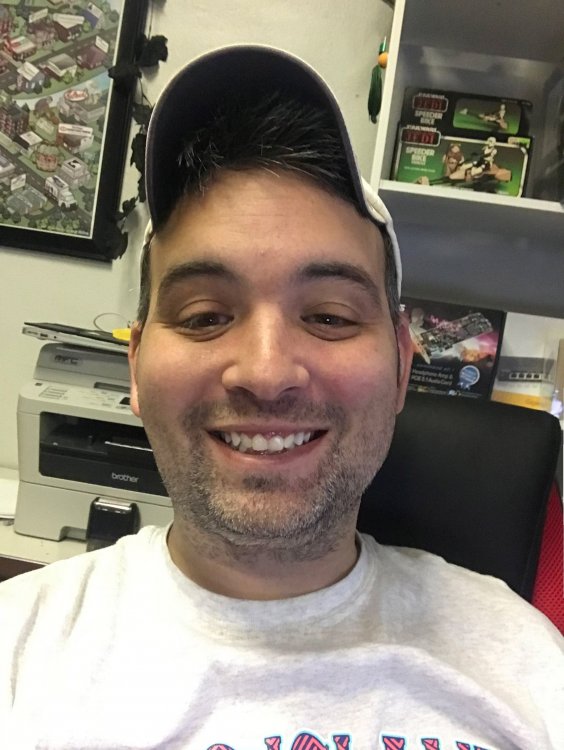
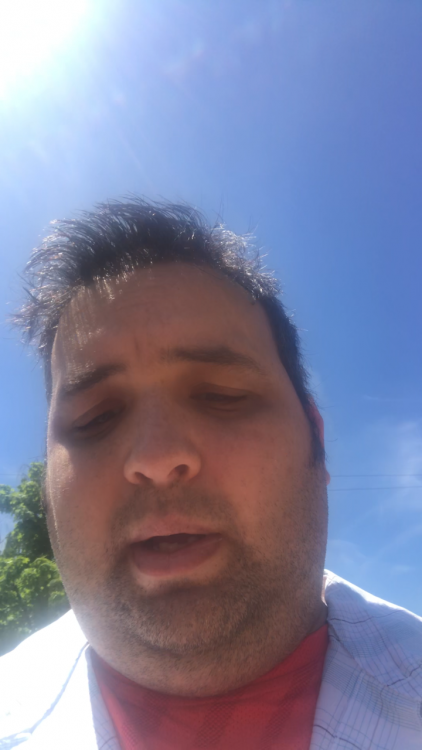
At my 6 month mark. I was up to 310 in May and today broke 215! You can all do it!! Tried to post in the gallery but it won't give me the option to :(

May 17th, 2018

IMG_7764.PNG

11/24/2018

IMG_77422.thumb.jpg.d1cbb1bf9261a9d60721d029184aa6f6.jpg

Edited by afstud59

  • Replies 29
  • Views 3.6k
  • Created
  • Last Reply

Top Posters In This Topic

Most Popular Posts

Posted Images

Featured Replies

You've done an awesome job!! You look great. Keep up the good work ?

Awesome Job! You look absolutely amazing!

You look amazing!! Congrats
At my 6 month mark. I was up to 310 in May and today broke 215! You can all do it!! Tried to post in the gallery but it won't give me the option to [emoji20]
May 17th, 2018
IMG_7764.thumb.PNG.0eb1f5a18006dcdf07ee0a627982f62e.PNG

11/24/2018
IMG_77422.thumb.jpg.d1cbb1bf9261a9d60721d029184aa6f6.jpg

GREAT job, you look fantastic!
1 hour ago, afstud59 said:

At my 6 month mark. I was up to 310 in May and today broke 215! You can all do it!! Tried to post in the gallery but it won't give me the option to :(

May 17th, 2018

IMG_7764.PNG

11/24/2018

IMG_77422.thumb.jpg.d1cbb1bf9261a9d60721d029184aa6f6.jpg

Your smile says it all. Congrats on all the hard work put in.

Bravo!!!! You look fantastic!

3 hours ago, afstud59 said:

At my 6 month mark. I was up to 310 in May and today broke 215! You can all do it!! Tried to post in the gallery but it won't give me the option to :(

May 17th, 2018

IMG_7764.PNG

11/24/2018

IMG_77422.thumb.jpg.d1cbb1bf9261a9d60721d029184aa6f6.jpg

Way to go! You look fantastic!!!!

Way to go man, doing great !!! Congrats on your success!!!!

You look fantastic!

Wow you look amazing....good for you, keep up the fantastic job...

wow awesome!!

Dude! FABULOUS WORK!
Amazing!

You should be so proud of yourself! That smile is a WINNER!! Keep up the good work, Congrats

Join the conversation

You can post now and register later. If you have an account, sign in now to post with your account.

Guest
Reply to this topic...

Account

Navigation

Search

Search

Configure browser push notifications

Chrome (Android)
  1. Tap the lock icon next to the address bar.
  2. Tap Permissions → Notifications.
  3. Adjust your preference.
Chrome (Desktop)
  1. Click the padlock icon in the address bar.
  2. Select Site settings.
  3. Find Notifications and adjust your preference.