



Skip to content
View in the app

A better way to browse. Learn more.

BariatricPal

A full-screen app on your home screen with push notifications, badges and more.

To install this app on iOS and iPadOS
  1. Tap the Share icon in Safari
  2. Scroll the menu and tap Add to Home Screen.
  3. Tap Add in the top-right corner.
To install this app on Android
  1. Tap the 3-dot menu (⋮) in the top-right corner of the browser.
  2. Tap Add to Home screen or Install app.
  3. Confirm by tapping Install.

Join BariatricPal free

  • Ask your own questions
  • Reply and follow topics
  • Message other members
  • No cost, no spam

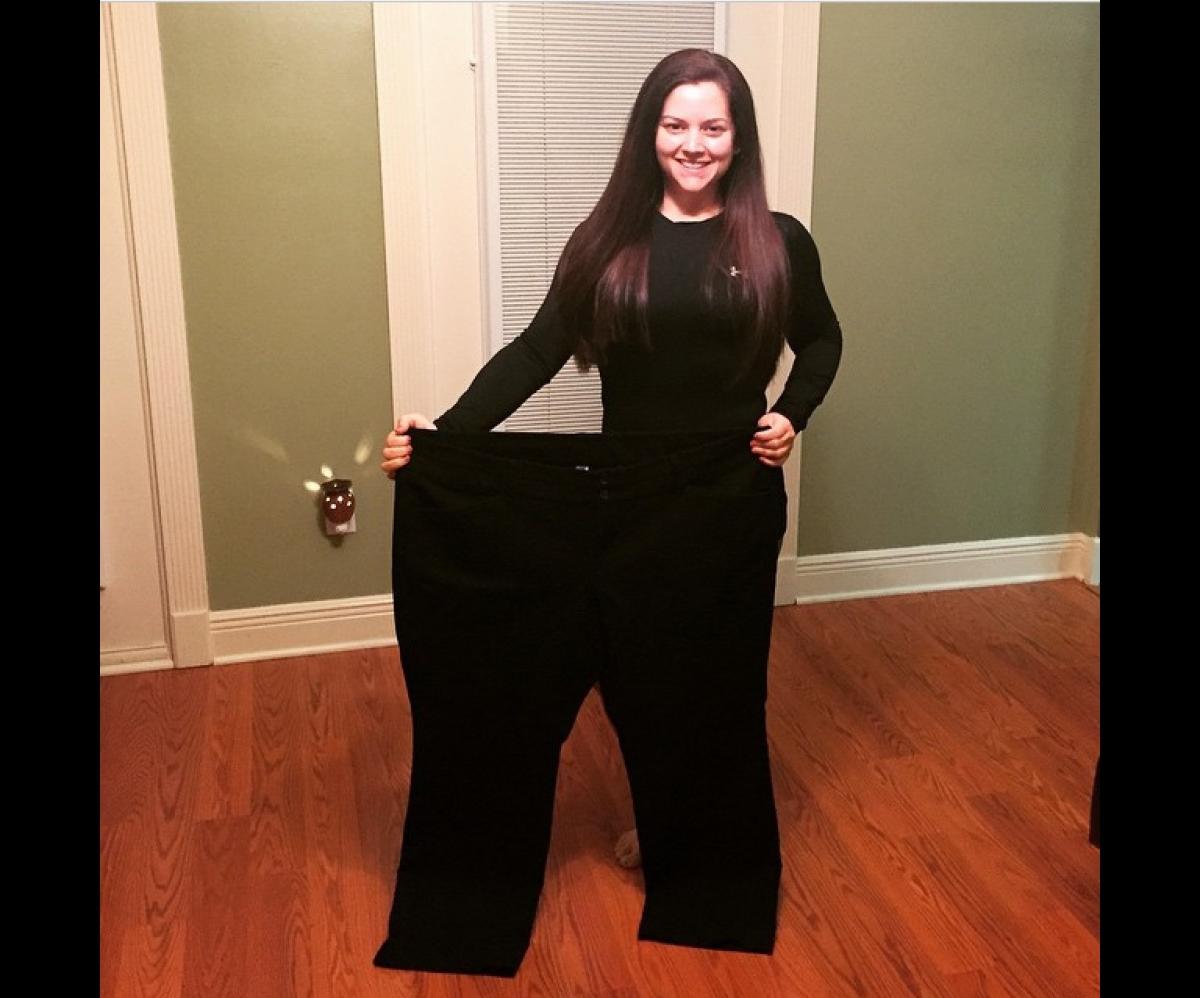
I used to fit these.

  • Replies 31
  • Views 4.1k
  • Created
  • Last Reply

Featured Replies

With your permission, I'd like to use your pic as motivation if/when things start to get on top of me.

While all the encouraging words and stories are, without doubt, educational and helpful, sometimes a simple picture (such as yours) can do so much more than words typed onto a page.

What you have achieved is simply incredible.

You are an amazing young woman who should be respected and so very, very proud.

Thank you for sharing.

Kinda...

Edited by KindaFamiliar

Wow, that's amazing! Great job.

Great job and very Inspirational !

  • 4 weeks later...

Wow!!! You are amazing and so inspiring!

Wow this pic really is inspiring!! I hope that I can as successful as you on my journey.

Can you give any words of wisdom?

What was your SW? And CW if you don't mind me asking.. (You don't have to answer if you don't want to)

How long did it take you to fit into one pant leg of your old pants? Lol

You truly are amazing!!! Good job!

  • 2 weeks later...

Wow! That is awesome!!!

Wow!! You look fantastic!!!! You go girl!

  • 2 weeks later...

Congratulations ???? ???? ???? ????

  • 4 weeks later...

Yay! Congratulations! !!! Very inspiring :)

Archived

This topic is now archived and is closed to further replies.

Account

Navigation

Search

Search

Configure browser push notifications

Chrome (Android)
  1. Tap the lock icon next to the address bar.
  2. Tap Permissions → Notifications.
  3. Adjust your preference.
Chrome (Desktop)
  1. Click the padlock icon in the address bar.
  2. Select Site settings.
  3. Find Notifications and adjust your preference.
