Skip to content
View in the app

A better way to browse. Learn more.

BariatricPal

A full-screen app on your home screen with push notifications, badges and more.

To install this app on iOS and iPadOS
  1. Tap the Share icon in Safari
  2. Scroll the menu and tap Add to Home Screen.
  3. Tap Add in the top-right corner.
To install this app on Android
  1. Tap the 3-dot menu (⋮) in the top-right corner of the browser.
  2. Tap Add to Home screen or Install app.
  3. Confirm by tapping Install.

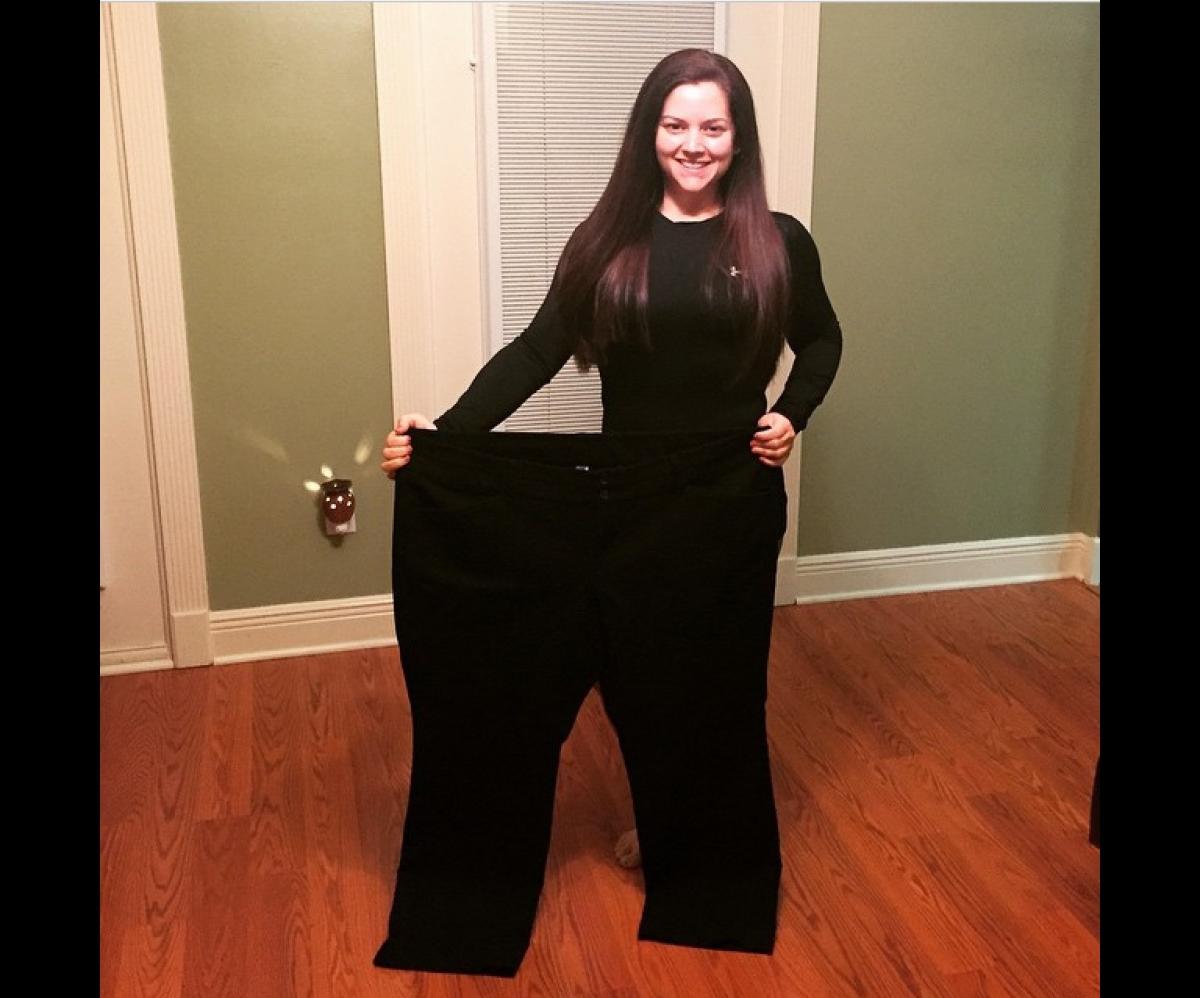
I used to fit these.

  • Replies 31
  • Views 4.1k
  • Created
  • Last Reply

Featured Replies

Congratulations!

You are too flippin cute! I love you! I am so happy for yu!

Edited by liannatx

Amazing & inspiring! Thanks for sharing!

Wow! Those are some big-ass pants! ;)

Sometimes (as when looking at those pants) this whole transformation we've been through seems just a bit unreal.

Living the fantasy is really possible, eh?

Congratulations! You look amazing.

  • Author

Wow! Those are some big-ass pants! ;)

Sometimes (as when looking at those pants) this whole transformation we've been through seems just a bit unreal.

Living the fantasy is really possible, eh?

When fantasy becomes reality.... :)

You are so inspiring!!!!!! Congrats on your lost!!!! You look absolutely amazing!!!!

Now thats impressive!!!

Archived

This topic is now archived and is closed to further replies.

Account

Navigation

Search

Search

Configure browser push notifications

Chrome (Android)
  1. Tap the lock icon next to the address bar.
  2. Tap Permissions → Notifications.
  3. Adjust your preference.
Chrome (Desktop)
  1. Click the padlock icon in the address bar.
  2. Select Site settings.
  3. Find Notifications and adjust your preference.