




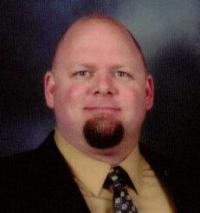
wascott
Gastric Sleeve Patients
-
Joined
-
Last visited
-
-
-
-
-
-
-
-
-
-
-
-
 wascott reacted to a post in a topic:
A shocking confession... (Warning - That may be a slight overstatement).
wascott reacted to a post in a topic:
A shocking confession... (Warning - That may be a slight overstatement).
-
-
-
wascott reacted to a post in a topic:
A shocking confession... (Warning - That may be a slight overstatement).
-
I get on the scale second thing in the morning and write my weight down. Every so often I enter the data into a spreadsheet and plot the data. It's interesting (to me) to see how my loss progresses.
-
-
@@wascott and several others -- So many 'likes' on several blank message forms? Does this mean the censors got there after some of the kids got a peek? Oh, rats, I missed out. I think it's because the original picture was linked through an external website and not stored locally on bariatricpal. The external website must have deleted the picture thereby creating a dead link.
-
-
-
-
-
It's natural to be worried. I think you need to focus on your long term health and seeing your kids graduate and get married, etc. I'm down 80 plus pounds so far. I was worried pre surgery but have no regrets now. I rarely have much hunger anymore and when I do my sleeve vastly limits how much I can consume.
-
Looks delightful. (Both)
-
@@sunshine72 interesting. I appreciate hearing your comments. I didn't use a doctor associated with Bariatricpal nor have I felt any pressure to use their products or services. I'm here for the support of others that have had the same procedure. Good luck with your surgery.
-
@@Pejela Yeah, the liquid diet is challenging. You should feel better with time.@@Pejela I read about that surgeon a couple of weeks ago. I feel bad for the patients. I've never read anything negative about the OCC or their staff. They are always there to help pre or post surgery.@@ag204195 I recommend doing research on any surgeon you plan to use.@@Pejela The first few days after surgery were a bit of a challenge with fluids but it got better every day. Once I got home I was able to get as much fluid as I needed. It just takes longer than before. I have no issues getting protein in. I have to eat most meat slowly with tiny bites and lots of chewing. My energy was low for 2 ro 3 weeks post surgery. My energy level is good now. Yesterday I went on a 5.6 mile hike and burned around 850 calories.@@Pejela I'm doing great! I'm down about 75 pounds total and down about 30 since surgery. I still have a way to go yet but I'll get there.@@Pejela You'll be on Clear liquids while recovering at the Marriott. If you have some favorite clear liquids such as Vitamin Water Zero, I recommend bringing a few with you. (Must be in checked bag). The little shop at the Marriott has a limited selection of beverages. Water, broth, and popsicles are available as well. The popsicles weren't that great but they helped keep me hydrated. I was able to purchase Vitamin Water Zero at the San Diego airport to sip on once I was through security. Lip balm was the most recommended item to me. I didn't end up needing it. Comfortable shoes and clothes are a must. You'll want to walk a lot as soon as you come down from the anesthesia. Good luck!It was interesting to read about the process of making prosciutto.

Account
Navigation
Search
Configure browser push notifications
Chrome (Android)
- Tap the lock icon next to the address bar.
- Tap Permissions → Notifications.
- Adjust your preference.
Chrome (Desktop)
- Click the padlock icon in the address bar.
- Select Site settings.
- Find Notifications and adjust your preference.
Safari (iOS 16.4+)
- Ensure the site is installed via Add to Home Screen.
- Open Settings App → Notifications.
- Find your app name and adjust your preference.
Safari (macOS)
- Go to Safari → Preferences.
- Click the Websites tab.
- Select Notifications in the sidebar.
- Find this website and adjust your preference.
Edge (Android)
- Tap the lock icon next to the address bar.
- Tap Permissions.
- Find Notifications and adjust your preference.
Edge (Desktop)
- Click the padlock icon in the address bar.
- Click Permissions for this site.
- Find Notifications and adjust your preference.
Firefox (Android)
- Go to Settings → Site permissions.
- Tap Notifications.
- Find this site in the list and adjust your preference.
Firefox (Desktop)
- Open Firefox Settings.
- Search for Notifications.
- Find this site in the list and adjust your preference.