Skip to content
View in the app

A better way to browse. Learn more.

BariatricPal

A full-screen app on your home screen with push notifications, badges and more.

To install this app on iOS and iPadOS
  1. Tap the Share icon in Safari
  2. Scroll the menu and tap Add to Home Screen.
  3. Tap Add in the top-right corner.
To install this app on Android
  1. Tap the 3-dot menu (⋮) in the top-right corner of the browser.
  2. Tap Add to Home screen or Install app.
  3. Confirm by tapping Install.

Join BariatricPal free

  • Ask your own questions
  • Reply and follow topics
  • Message other members
  • No cost, no spam

Inspiration .. How I Look 8 Months Out - Pictures

  • Popular Post

Hello everyone :)

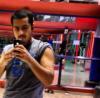
I worked hard to get to this point and i hope this will serve as inspiration and motivation for pre and post ops. If you have any questions pls feel free to email me or send me a private msg.

Good luck to all of you.

post-18859-13813659424243_thumb.jpg

post-18859-13813659424434_thumb.png

  • Replies 30
  • Views 3.2k
  • Created
  • Last Reply

Top Posters In This Topic

Most Popular Posts

  • I'm about to call you Rico-Suave.....ok, telling my age now. LOL. But seriously you look wonderful.


Posted Images

Featured Replies

You look great! Awesome work!

:)

HOT :D You look great ! Congrats

Wow..you look great.

You look great!!

You look great bro!

what a handsome man, awesome job, good luck in your continuing journey

You look amazing!!!! This is definitely inspiring!! Keep up the good work~!

Wow!! You look really good :)

Great job!

You're doing great Rico! I'm sure you feel so much better and able to do things you either couldn't and didn't think you could before. Thanks for sharing.

Awesome job!!! You look great!!!

What a difference! Lookin good ; ) Keep up the great work!

You look great!

Join the conversation

You can post now and register later. If you have an account, sign in now to post with your account.

Guest
Reply to this topic...

Account

Navigation

Search

Search

Configure browser push notifications

Chrome (Android)
  1. Tap the lock icon next to the address bar.
  2. Tap Permissions → Notifications.
  3. Adjust your preference.
Chrome (Desktop)
  1. Click the padlock icon in the address bar.
  2. Select Site settings.
  3. Find Notifications and adjust your preference.