Skip to content
View in the app

A better way to browse. Learn more.

BariatricPal

A full-screen app on your home screen with push notifications, badges and more.

To install this app on iOS and iPadOS
  1. Tap the Share icon in Safari
  2. Scroll the menu and tap Add to Home Screen.
  3. Tap Add in the top-right corner.
To install this app on Android
  1. Tap the 3-dot menu (⋮) in the top-right corner of the browser.
  2. Tap Add to Home screen or Install app.
  3. Confirm by tapping Install.

Join BariatricPal free

  • Ask your own questions
  • Reply and follow topics
  • Message other members
  • No cost, no spam

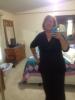
9 Months Out - New Picture And A Nsv

  • Replies 35
  • Views 3.6k
  • Created
  • Last Reply

Top Posters In This Topic

Most Popular Posts

Posted Images

Featured Replies

Lissa .... You look fabulous! i agree with the other posts, you are a great inspiration to so many of us.... I look for your comments because i know they will be very knowledgeable ... Congrats on your success...

You look great - I bet you feel even better!! I am wondering if you could message me some help.....I can't get pics to load! I use jpeg, I have a MAC - it just isn't working.....any help would be appreciated!

Wow! You look incredible, congratulations.

  • Author

Shannonk, I don't know anything about Macs or apple. I email my pics to myself from my phone, d/l to my desktop, then upload to VST in the message box. HTH

Likasulema, It's been a long time since I was serenaded, Thank you! :)

Thank you to you all for your compliments! I felt awesome all day! :)

Lissa,

You look wonderful! Congrats!

Awesome!! :D

Awww girlie great pic...I am still ALMOST there. 4 more lbs to hit my 100, it is taking forever!!!!

Have great weekend and enjoy your NSV.

Sent from my iPad using VST

Wha-hoo! You look amazing!

Fantastic! Keep up the amazing work! :)

The smile on your face says it all!!! Congrats & great job. U look wonderful!!!

Looking good. Keep up the good work.

Hey, who is that stone-cold fox? Oh, it's our very own Lissa! Love the pic and thanks for all the support you give to so many on this group-you're an inspiration.

Join the conversation

You can post now and register later. If you have an account, sign in now to post with your account.

Guest
Reply to this topic...

Account

Navigation

Search

Search

Configure browser push notifications

Chrome (Android)
  1. Tap the lock icon next to the address bar.
  2. Tap Permissions → Notifications.
  3. Adjust your preference.
Chrome (Desktop)
  1. Click the padlock icon in the address bar.
  2. Select Site settings.
  3. Find Notifications and adjust your preference.