Skip to content
View in the app

A better way to browse. Learn more.

BariatricPal

A full-screen app on your home screen with push notifications, badges and more.

To install this app on iOS and iPadOS
  1. Tap the Share icon in Safari
  2. Scroll the menu and tap Add to Home Screen.
  3. Tap Add in the top-right corner.
To install this app on Android
  1. Tap the 3-dot menu (⋮) in the top-right corner of the browser.
  2. Tap Add to Home screen or Install app.
  3. Confirm by tapping Install.

Join BariatricPal free

  • Ask your own questions
  • Reply and follow topics
  • Message other members
  • No cost, no spam

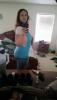
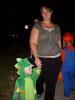
5 months post op. -60 lbs. My first pics :)

Had to go through everything to find pictures of me before post op since I hated taking body pictures, but this is the closest I found. This is Halloween before surgery (6 months pre op) and today, 1 day shy of my 5 month surgiversery. Wore a shirt I couldn't fit in for years so I am a happy camper :)post-57490-13813670162948_thumb.jpgpost-57490-13813670163714_thumb.jpg
  • Replies 19
  • Views 1.7k
  • Created
  • Last Reply

Featured Replies

I bet you love taking pictures now...Amazing results!! You look younger too. Keep up the great work!!

You look great.

  • Author

Thanks :) and pics are taken more now but I try to do it every 20lbs or so so I can see a difference. I still see all the flaws in pics for some reason but just seeing myself in the mirror makes me happier

You look amazing!!!! Congratulations on your loss!!! Keep up the great work!!!

Way to go! Congratulations:)

Congratulations!

Oh my goodness you look fantastic! That is such a difference in 5 months! I am just starting my pre-op so you're another person to add to my list of inspirations!

You look absolutely wonderful!!! Congrats on your amazing transformation!!!

Sent from my iPhone using VST

Congrats on your success so far. You look great! :)

Archived

This topic is now archived and is closed to further replies.

Account

Navigation

Search

Search

Configure browser push notifications

Chrome (Android)
  1. Tap the lock icon next to the address bar.
  2. Tap Permissions → Notifications.
  3. Adjust your preference.
Chrome (Desktop)
  1. Click the padlock icon in the address bar.
  2. Select Site settings.
  3. Find Notifications and adjust your preference.