Skip to content
View in the app

A better way to browse. Learn more.

BariatricPal

A full-screen app on your home screen with push notifications, badges and more.

To install this app on iOS and iPadOS
  1. Tap the Share icon in Safari
  2. Scroll the menu and tap Add to Home Screen.
  3. Tap Add in the top-right corner.
To install this app on Android
  1. Tap the 3-dot menu (⋮) in the top-right corner of the browser.
  2. Tap Add to Home screen or Install app.
  3. Confirm by tapping Install.

Join BariatricPal free

  • Ask your own questions
  • Reply and follow topics
  • Message other members
  • No cost, no spam

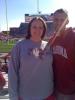
3 1/2 months out beforer and after photos

  • Replies 13
  • Views 1.9k
  • Created
  • Last Reply

Top Posters In This Topic

Posted Images

Featured Replies

You must be feeling fantastic! Keep up the good work!

WOWOW!!! AMAZING!! u look great!! well done:))))) thanks for posting this!

Wow, you look amazing! Huge well done!

How did you lose so much so quickly? I have a wedding and 3 and a half months so that is a bit of a target for me, would love to lose as much as you in that time.

  • Author

I had some of you ask how I did it. It was easy. I did not cheat, not once! No bread, no Pasta, no rice, no sugar, no potatoes!! I walk one mile five times a week. I only drink Clear liquids with less than 15 calories per 8 oz. I am just getting out of a two week stall so I needed to post this in order to keep my spirits lifted. My surgery was 1/19/11 and I was 250lbs the day of surgery. I love my sleeve!! I would be happy even if I never lost another pound, but I know I will. :D

Great photos, you look so happy and healthy... keep up the good work ... won't be long til you are posting a goal up date! =]

I agree :D no need for another pound coz u r great right now, but as u said the fantastaic thing is that u r going even to drop off more weight, congrats :)

WOW YOU LOOK GREAT! CONGRATS!!!

Join the conversation

You can post now and register later. If you have an account, sign in now to post with your account.

Guest
Reply to this topic...

Account

Navigation

Search

Search

Configure browser push notifications

Chrome (Android)
  1. Tap the lock icon next to the address bar.
  2. Tap Permissions → Notifications.
  3. Adjust your preference.
Chrome (Desktop)
  1. Click the padlock icon in the address bar.
  2. Select Site settings.
  3. Find Notifications and adjust your preference.