Skip to content
View in the app

A better way to browse. Learn more.

BariatricPal

A full-screen app on your home screen with push notifications, badges and more.

To install this app on iOS and iPadOS
  1. Tap the Share icon in Safari
  2. Scroll the menu and tap Add to Home Screen.
  3. Tap Add in the top-right corner.
To install this app on Android
  1. Tap the 3-dot menu (⋮) in the top-right corner of the browser.
  2. Tap Add to Home screen or Install app.
  3. Confirm by tapping Install.

Join BariatricPal free

  • Ask your own questions
  • Reply and follow topics
  • Message other members
  • No cost, no spam

Half of Me - A Pictorial Reminder

  • Popular Post

Sometimes it's good to remind myself that even if I'm not exactly where I want to be, I will never go back.

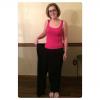
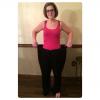
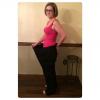
I thought that reminder might be helped by trying on the 1 pair of pants I kept....a size 20, down to a 4.

So here's a visual of what it looks like to be literally less than half of yourself, given that I've lost more weight than I actually weigh now.

I have to say I quite enjoyed the reminder :-)post-182723-14221373090954_thumb.jpgpost-182723-14221373211954_thumb.jpgpost-182723-14221373345269_thumb.jpg
  • Replies 19
  • Views 1.8k
  • Created
  • Last Reply

Featured Replies

Oh my gosh, you look beautiful! Congrats on all the hard work paying off! Thanks for posting, it's very motivational.

You look awesome! Thanks for the idea... I was just ditching my oversized clothes! Will be keeping one pair of my largest size paints now.

You look amazing! Congratulations on your journey. :)

You look so slim wow congratulations!!!!

You are such an inspiration!!!

Thanks for sharing...........very encouraging. You look fantastic

Fantastic - helps to keep me on track when I see photos like yours.

Ellen

  • Author

You look great! It doesn't look like you had trouble with saggy skin. Did you? Thx

Thank you! I actually do have some excess skin on my arms and stomach that I am hoping to have removed once I get to 18 months post op in March.

You look fantastic!! Congratulations on a job well done!! You should be so proud of yourself.

Love the pictorial reminder! Keep inspiring us :-)

Archived

This topic is now archived and is closed to further replies.

Account

Navigation

Search

Search

Configure browser push notifications

Chrome (Android)
  1. Tap the lock icon next to the address bar.
  2. Tap Permissions → Notifications.
  3. Adjust your preference.
Chrome (Desktop)
  1. Click the padlock icon in the address bar.
  2. Select Site settings.
  3. Find Notifications and adjust your preference.