



Skip to content
View in the app

A better way to browse. Learn more.

BariatricPal

A full-screen app on your home screen with push notifications, badges and more.

To install this app on iOS and iPadOS
  1. Tap the Share icon in Safari
  2. Scroll the menu and tap Add to Home Screen.
  3. Tap Add in the top-right corner.
To install this app on Android
  1. Tap the 3-dot menu (⋮) in the top-right corner of the browser.
  2. Tap Add to Home screen or Install app.
  3. Confirm by tapping Install.

Join BariatricPal free

  • Ask your own questions
  • Reply and follow topics
  • Message other members
  • No cost, no spam

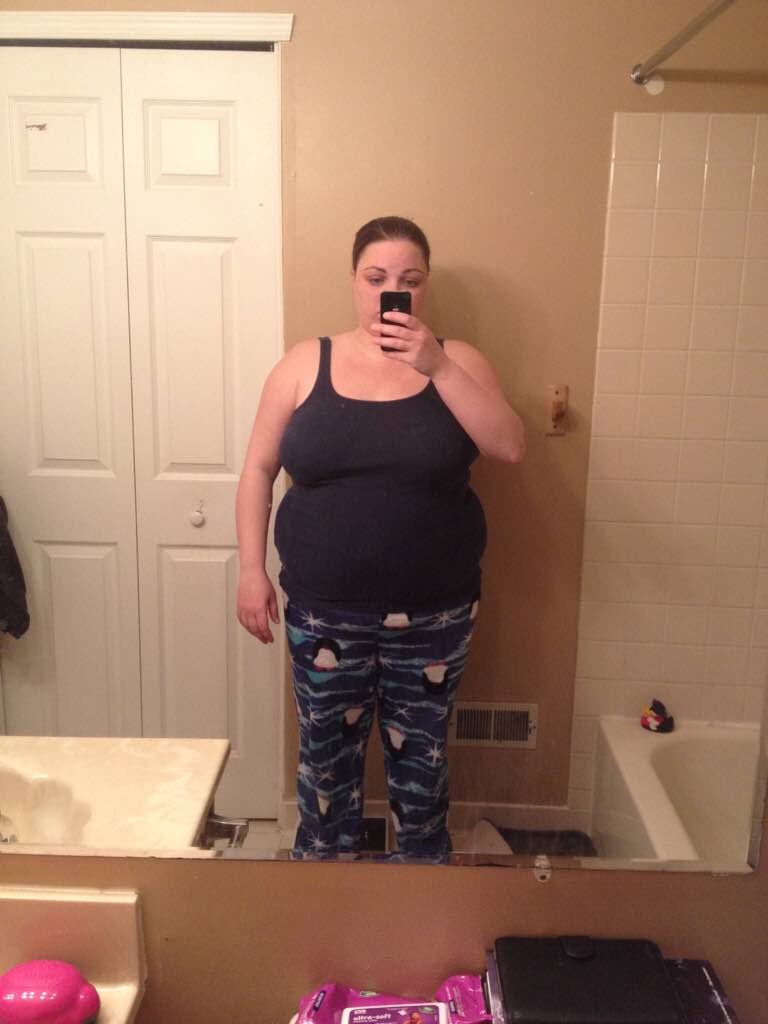
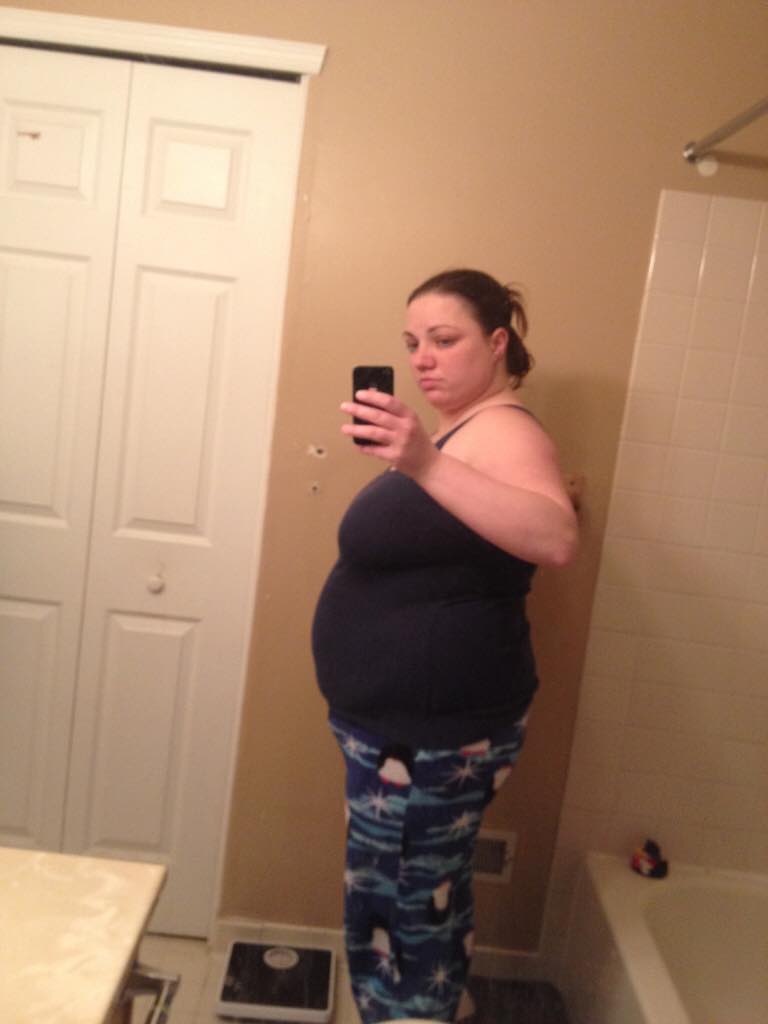
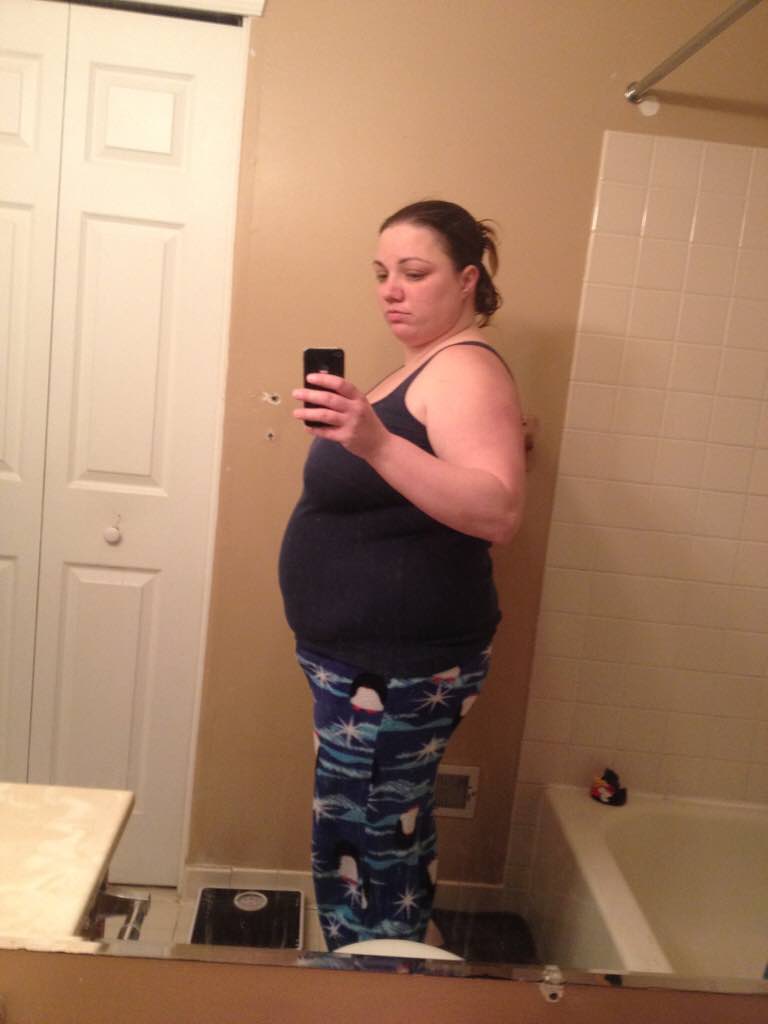
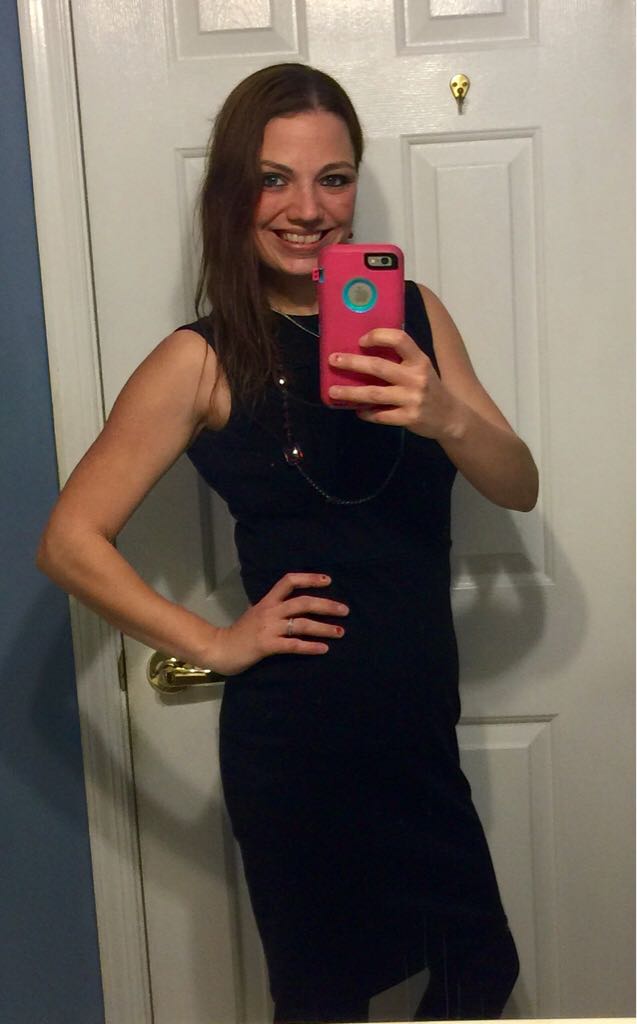
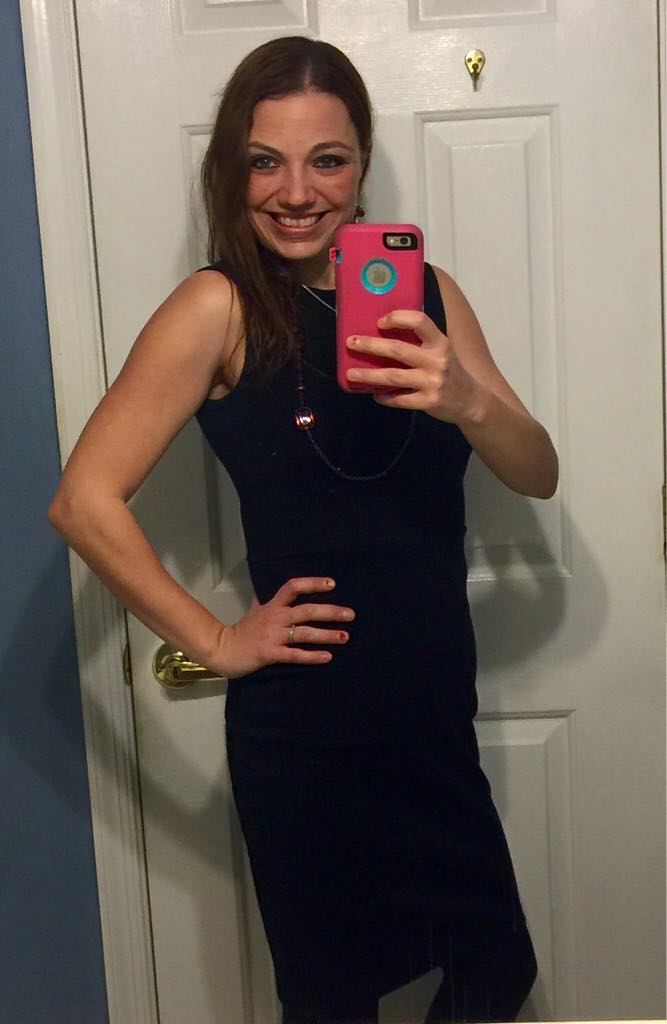
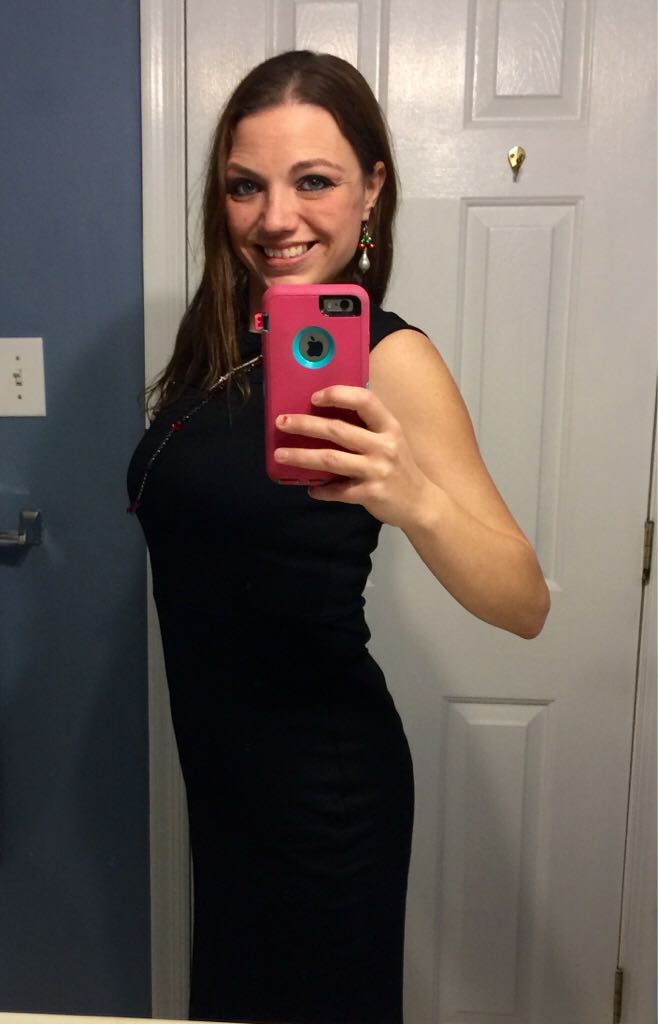
UPDATE w/ pics! 110lbs in 10 months!

  • Replies 58
  • Views 4.4k
  • Created
  • Last Reply

Featured Replies

  • Author
  • Popular Post

It looks like my writing didn't show up so I will write again! Lol

Hi Everyone!

I haven't been on in awhile so just wanted to post an update! I have been busy living my new life! Gastric bypass has truly given me a new life!!

Had surgery on 2/19/13. I'm 5'4". Start weight: 230 lbs. Shirts: XXL Pants 16 (about because I never wore regular pants.)

Current weight: 120lbs. Shirts: Xtra Small (juniors). Pants: 1 (juniors and they are a little too big!)

I hope I can inspire some people!! Good luck to everyone!

God bless!

Congratulations on your success! Your transformation is very inspiring.

Oh wow this is inspiring! Congratulations on your success!

Holy smokes! If I wasn't already convinced to have this surgery, I would be now after seeing your photos! My goodness!! Great job lady!!!

Amazing. 110 lbs in a year is fantastic. You look so good.

Wow!! Congrats girl! You look like a whole new person! Have you moved into maintenance? What does maintenance look like for you?

WOW!! Congrats on all your success!!

Wow! You look amazing, and 10 years younger!!!

This gives me hope!

You look amaze balls!

The best part is the great smile. The new confidence and you care about yourself again. I'm just guessing of course but the pics remind me of mine.

Archived

This topic is now archived and is closed to further replies.

Account

Navigation

Search

Search

Configure browser push notifications

Chrome (Android)
  1. Tap the lock icon next to the address bar.
  2. Tap Permissions → Notifications.
  3. Adjust your preference.
Chrome (Desktop)
  1. Click the padlock icon in the address bar.
  2. Select Site settings.
  3. Find Notifications and adjust your preference.
