



Skip to content
View in the app

A better way to browse. Learn more.

BariatricPal

A full-screen app on your home screen with push notifications, badges and more.

To install this app on iOS and iPadOS
  1. Tap the Share icon in Safari
  2. Scroll the menu and tap Add to Home Screen.
  3. Tap Add in the top-right corner.
To install this app on Android
  1. Tap the 3-dot menu (⋮) in the top-right corner of the browser.
  2. Tap Add to Home screen or Install app.
  3. Confirm by tapping Install.

Join BariatricPal free

  • Ask your own questions
  • Reply and follow topics
  • Message other members
  • No cost, no spam

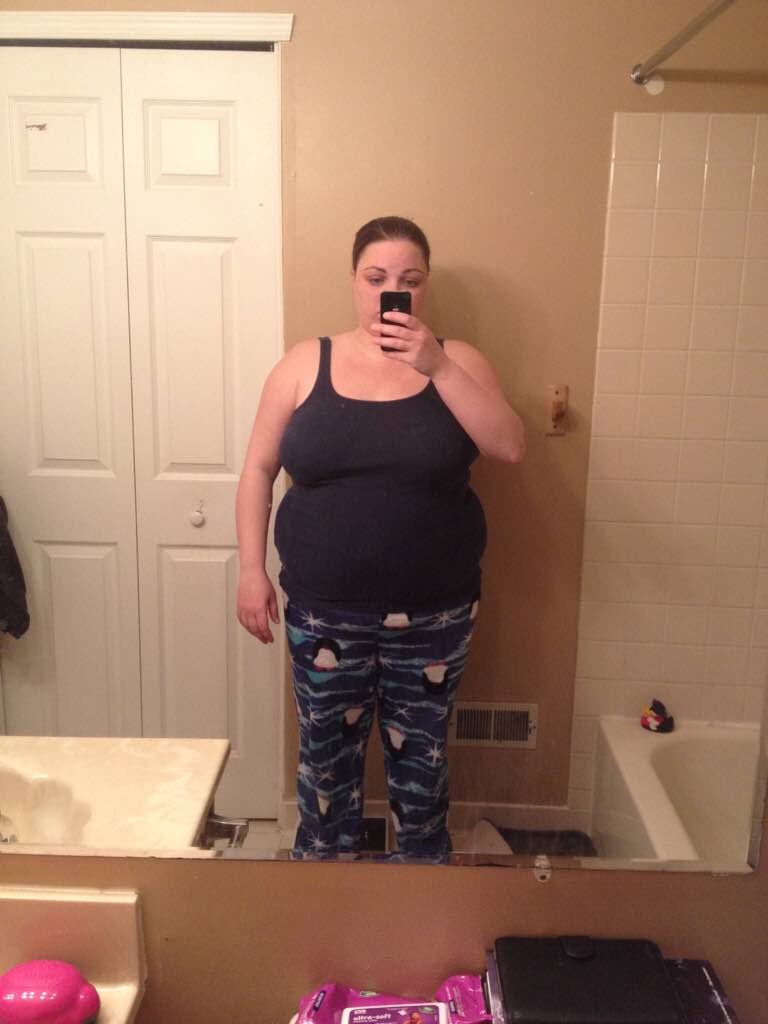
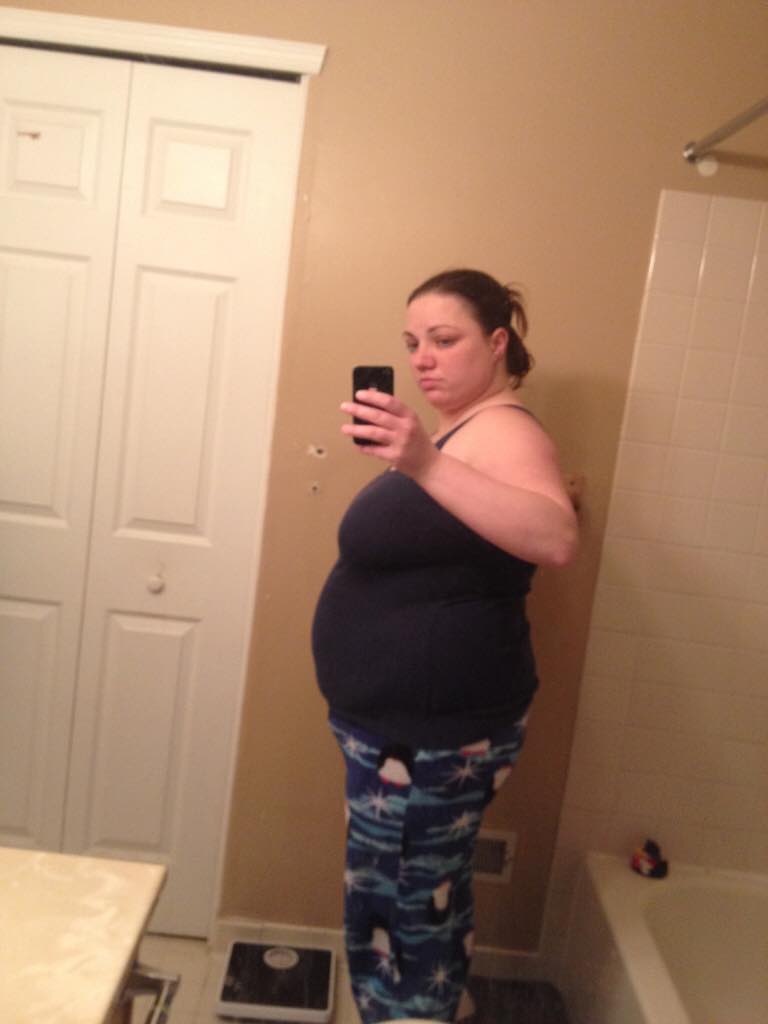
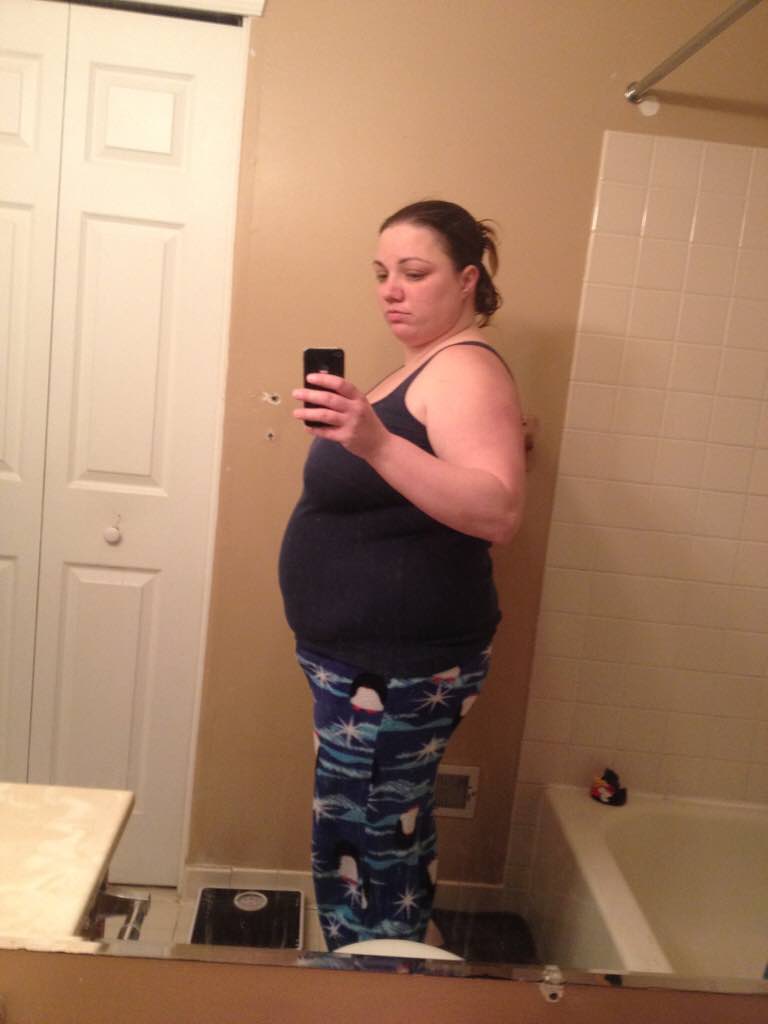
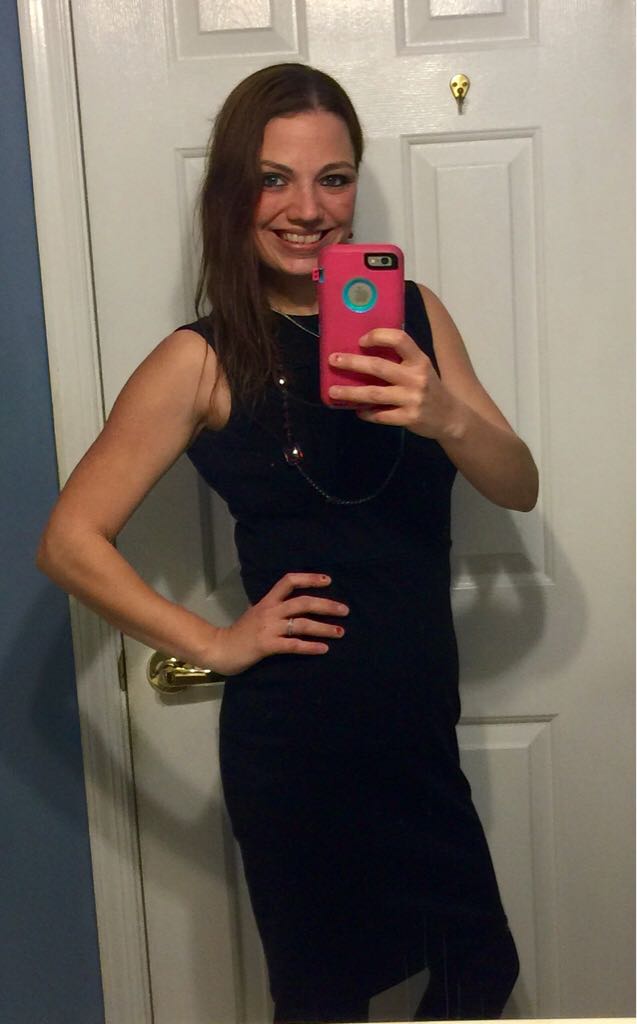
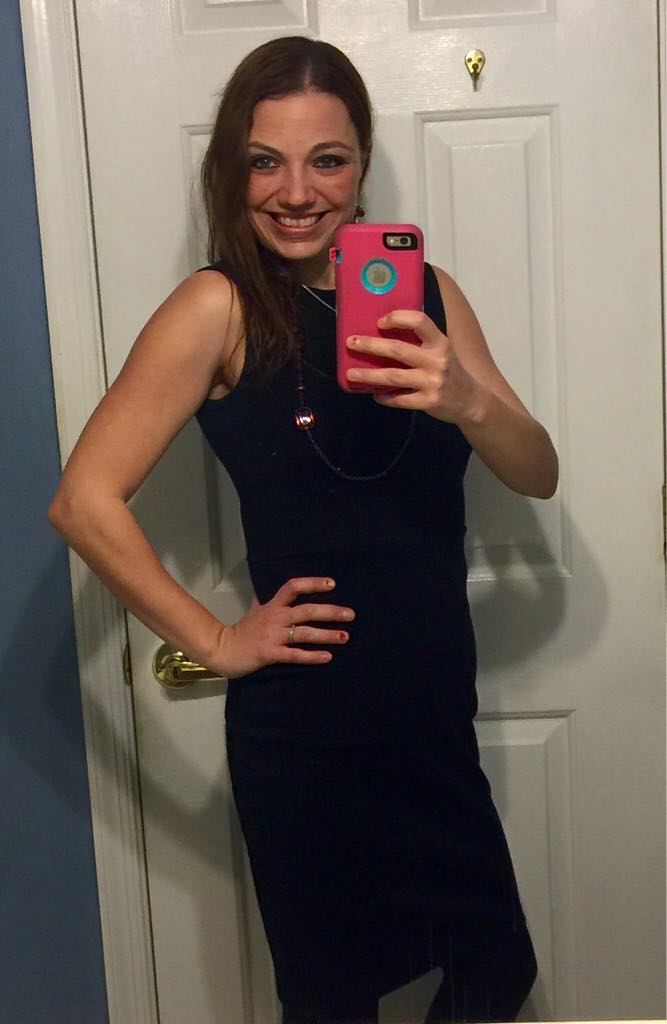
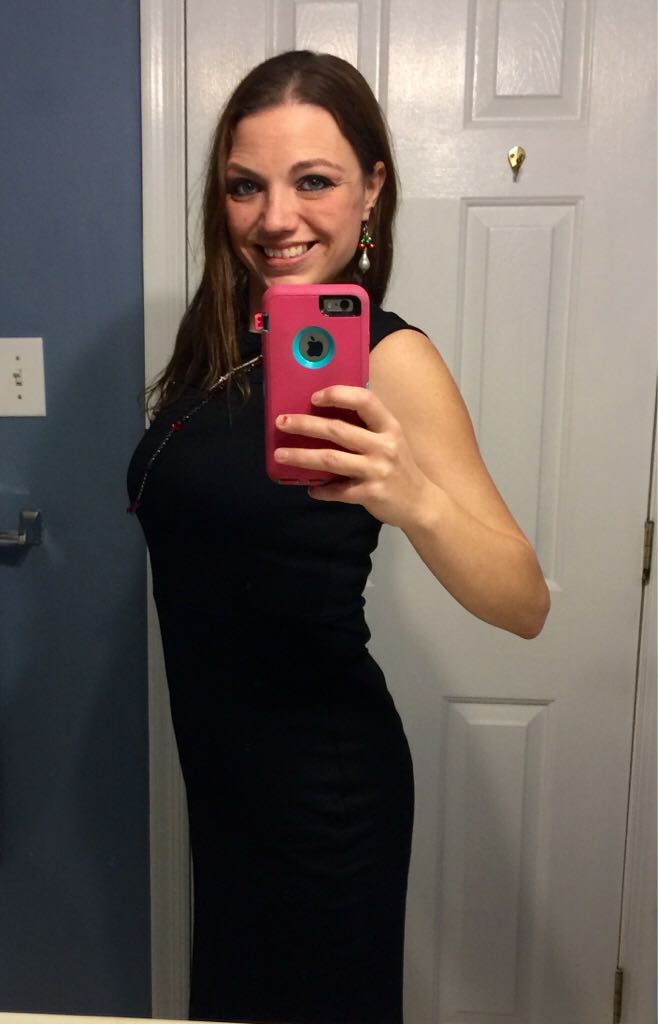
UPDATE w/ pics! 110lbs in 10 months!

  • Replies 58
  • Views 4.4k
  • Created
  • Last Reply

Featured Replies

Wow! Awesome.

  • Author

Thank you!! No secret ???? I've just been following what my doctor told me. Eating the right things and right portions.

  • Author

You look amazing!

Thank you!!!

  • Author

That's awesome. I wish I looked that good. Keep up the great work what's the secert??? Plz share

Thank you!! No secret ???? I've just been following what my doctor told me. Eating the right things and right portions.

  • Author

Wow! Awesome.

Thank you ????

  • Author

Phenomenal!

Thank you ????

  • Author

Congrats, thanks for sharing :)

Thank you!! You're welcome! ????

  • Author

Aww, heck...I'd smile too! Thanks for inspiring me!

You're welcome!! ????

  • Author

Congratulations!!! You look wonderful!

Thank you !! ????

  • Author

You look amazing!

Thank you!!! ????

  • Author

If I missed thanking anyone for their nice comment I just want to say a BIG thank you!!! The positive feedback means a lot to me! Everyone inspires me to stay on track!! ????

Edited by hb5484

  • 2 months later...

Congrats you look great keep up the great work.

Archived

This topic is now archived and is closed to further replies.

Account

Navigation

Search

Search

Configure browser push notifications

Chrome (Android)
  1. Tap the lock icon next to the address bar.
  2. Tap Permissions → Notifications.
  3. Adjust your preference.
Chrome (Desktop)
  1. Click the padlock icon in the address bar.
  2. Select Site settings.
  3. Find Notifications and adjust your preference.
