Skip to content
View in the app

A better way to browse. Learn more.

BariatricPal

A full-screen app on your home screen with push notifications, badges and more.

To install this app on iOS and iPadOS
  1. Tap the Share icon in Safari
  2. Scroll the menu and tap Add to Home Screen.
  3. Tap Add in the top-right corner.
To install this app on Android
  1. Tap the 3-dot menu (⋮) in the top-right corner of the browser.
  2. Tap Add to Home screen or Install app.
  3. Confirm by tapping Install.

Join BariatricPal free

  • Ask your own questions
  • Reply and follow topics
  • Message other members
  • No cost, no spam

I DID IT, I DID IT, I DID IT!!!!!

Well I've been wanting to do this for a while, I can't believe I finally DID IT! I'm SO TIRED, but SO HAPPYbiggrin.gif!!!! YAYYYYYYY!

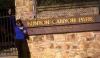
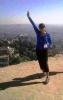
Here are 2 pics of me at the top (Hollywood sign in the back as well as the city of L.A.), and finally back down at the front of the canyon. This was a huge victory for me...and it was a beautiful day here in Southern CA.

post-2724-13813656238658_thumb.jpg

post-2724-1381365623884_thumb.jpg

post-2724-13813656238981_thumb.jpg

  • Replies 33
  • Views 4.7k
  • Created
  • Last Reply

Top Posters In This Topic

Most Popular Posts

Posted Images

Featured Replies

  • Author

Eloray all l I heard was my deep breathing in and out...we almost turned back several times but we PRESSED and DID IT! YAYYYYYYYYYYY! Thank you JESUS! This was a miracle for me seriously.

Here's a picture of the half way point.

post-2724-13813656239108_thumb.jpg

Congratulations! What an accomplishment! You look amazing too. :D

That is absolutely FANTASTIC!!! CONGRATULATIONS!

You look amazing! And that is no easy climb!

OMW CONGRATULATIONS!!!!!! I am so very happy for you!!!! You look so tiny in your pics too, you are totally rocking that sleeve and your new life!!

So, maybe one of these days we can all meet up for that hike... YEAHHHH!!!!

Join the conversation

You can post now and register later. If you have an account, sign in now to post with your account.

Guest
Reply to this topic...

Account

Navigation

Search

Search

Configure browser push notifications

Chrome (Android)
  1. Tap the lock icon next to the address bar.
  2. Tap Permissions → Notifications.
  3. Adjust your preference.
Chrome (Desktop)
  1. Click the padlock icon in the address bar.
  2. Select Site settings.
  3. Find Notifications and adjust your preference.