Skip to content
View in the app

A better way to browse. Learn more.

BariatricPal

A full-screen app on your home screen with push notifications, badges and more.

To install this app on iOS and iPadOS
  1. Tap the Share icon in Safari
  2. Scroll the menu and tap Add to Home Screen.
  3. Tap Add in the top-right corner.
To install this app on Android
  1. Tap the 3-dot menu (⋮) in the top-right corner of the browser.
  2. Tap Add to Home screen or Install app.
  3. Confirm by tapping Install.

Join BariatricPal free

  • Ask your own questions
  • Reply and follow topics
  • Message other members
  • No cost, no spam

LapBandTalk CHAT

Chat room technical issue???

One night, it said that there were 32 people in the LBT lounge, when I went to chat, no one was there. It happened again last night.

Right now... it says there are 70 people using the chat rooms and it has my screen name listed as one of them, only I am not logged into the chat room.

I think there may be a technical issue or something....

  • Replies 129
  • Views 32.5k
  • Created
  • Last Reply

Top Posters In This Topic

Posted Images

Featured Replies

It was working again tonight. There is a new chat program. I had to

down load a plug in to make it work.

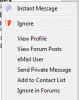
I had to download a plug in to use the new chat room. I had no problem looking at people's profiles by right clicking on their name. Everyone is happy that when the people sign in, the names are in alphabetical order again.

I had to download a plug in to use the new chat room. I had no problem looking at people's profiles by right clicking on their name. Everyone is happy that when the people sign in, the names are in alphabetical order again.

The plugin you needed to download was java, available at www.java.com .

Heidi, what types of problems are you having? I just tried and had no problem. If you are getting a specific error message, can you please post it here.

Thanks.

yeah, it appeared on my screen and I had no problems downloading it. Chat works fine now. It's very different from the old chat, but everyone will get used to it.

Everytime I click on chatroom it tells me "this chat room uses blah blah blah" and tells me I have to download Java.. I have like 90 times!!

ALL I WANT TO DO IS CHAT WITH MY FRIIIIIIIENDS!!!!!!!!

About 1/2 the time here lately I have not been able to bring up the chat room. It gives me a message saying that there was an error logging on try again in a few minutes. I am about to have surgery Nov,4 and the chats really help. anything you can do to help would be appreciated. Thanks

Hi y'all - having problems getting into the chat room? So was I - after alex tryed for 2 hours to get mine to work - he finally downloaded Google Chrome for me === NOW it works!! So try that - and access it thru there - see if you can join us again!!

Hope to see you there!!

Robinmarie:thumbup:

Join the conversation

You can post now and register later. If you have an account, sign in now to post with your account.

Guest
Reply to this topic...

Account

Navigation

Search

Search

Configure browser push notifications

Chrome (Android)
  1. Tap the lock icon next to the address bar.
  2. Tap Permissions → Notifications.
  3. Adjust your preference.
Chrome (Desktop)
  1. Click the padlock icon in the address bar.
  2. Select Site settings.
  3. Find Notifications and adjust your preference.