Skip to content
View in the app

A better way to browse. Learn more.

BariatricPal

A full-screen app on your home screen with push notifications, badges and more.

To install this app on iOS and iPadOS
  1. Tap the Share icon in Safari
  2. Scroll the menu and tap Add to Home Screen.
  3. Tap Add in the top-right corner.
To install this app on Android
  1. Tap the 3-dot menu (⋮) in the top-right corner of the browser.
  2. Tap Add to Home screen or Install app.
  3. Confirm by tapping Install.
  • Appearance

Join BariatricPal free

  • Ask your own questions
  • Reply and follow topics
  • Message other members
  • No cost, no spam

TRANSFORMATION TUESDAYS

  • Replies 112
  • Views 12.5k
  • Created
  • Last Reply

Top Posters In This Topic

Most Popular Posts

Posted Images

Featured Replies

*BURST IN* Wait it's Tuesday, right? Finally !

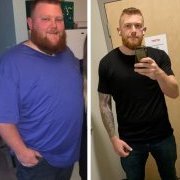
Transformation Timeline: 2011 vs 2019
107024410_FB_IMG_15753328821372.thumb.jpg.3fd543e16f61730af547ad3a2407d8ff.jpg
20191202_111510_HDR.thumb.jpg.0d8fd3a872f8930a74b4199cb26c1b98.jpg
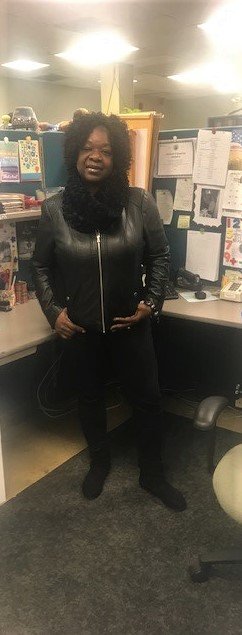
You look amazing!! Such an inspiration!!

5'4"
Starting weight 297
VSG on 7/31/19
Surgery wt: 266
CW 215
GW 135
  • Popular Post

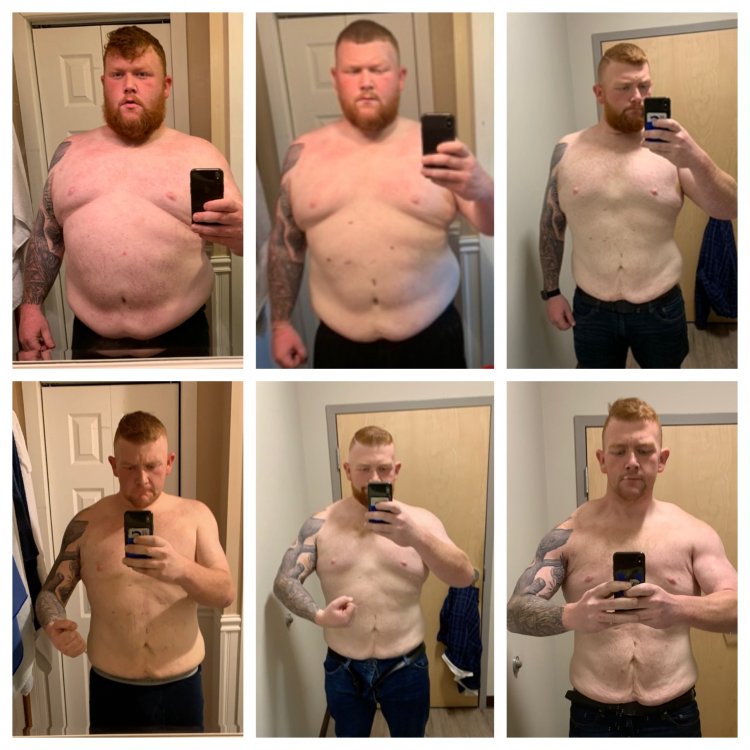
Wow Wow wow guys!!!!! Well done[emoji122][emoji122][emoji122][emoji122][emoji122][emoji122][emoji122][emoji122][emoji122][emoji122] Awe inspiring pictures[emoji119][emoji119][emoji119]
Congratulations for a job well done!

1 hour ago, ms.sss said:

Thanks, but me and my arms would disagree with you, LOL ❤️

I totally get it. I just want to tell you in a non-pervy way that I want to be you when I grow up. What an incredible transformation, lady! Major proppahs!

  • 1 month later...

Join the conversation

You can post now and register later. If you have an account, sign in now to post with your account.

Guest
Reply to this topic...

Account

Navigation

Search

Search

Configure browser push notifications

Chrome (Android)
  1. Tap the lock icon next to the address bar.
  2. Tap Permissions → Notifications.
  3. Adjust your preference.
Chrome (Desktop)
  1. Click the padlock icon in the address bar.
  2. Select Site settings.
  3. Find Notifications and adjust your preference.