Skip to content
View in the app

A better way to browse. Learn more.

BariatricPal

A full-screen app on your home screen with push notifications, badges and more.

To install this app on iOS and iPadOS
  1. Tap the Share icon in Safari
  2. Scroll the menu and tap Add to Home Screen.
  3. Tap Add in the top-right corner.
To install this app on Android
  1. Tap the 3-dot menu (⋮) in the top-right corner of the browser.
  2. Tap Add to Home screen or Install app.
  3. Confirm by tapping Install.
  • Appearance

Join BariatricPal free

  • Ask your own questions
  • Reply and follow topics
  • Message other members
  • No cost, no spam

TRANSFORMATION TUESDAYS

  • Replies 112
  • Views 12.5k
  • Created
  • Last Reply

Top Posters In This Topic

Most Popular Posts

Posted Images

Featured Replies

  • 4 months later...
  • 1 month later...
9 minutes ago, GreenTealael said:

*BURST IN* Wait it's Tuesday, right? Finally !

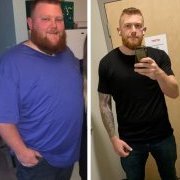
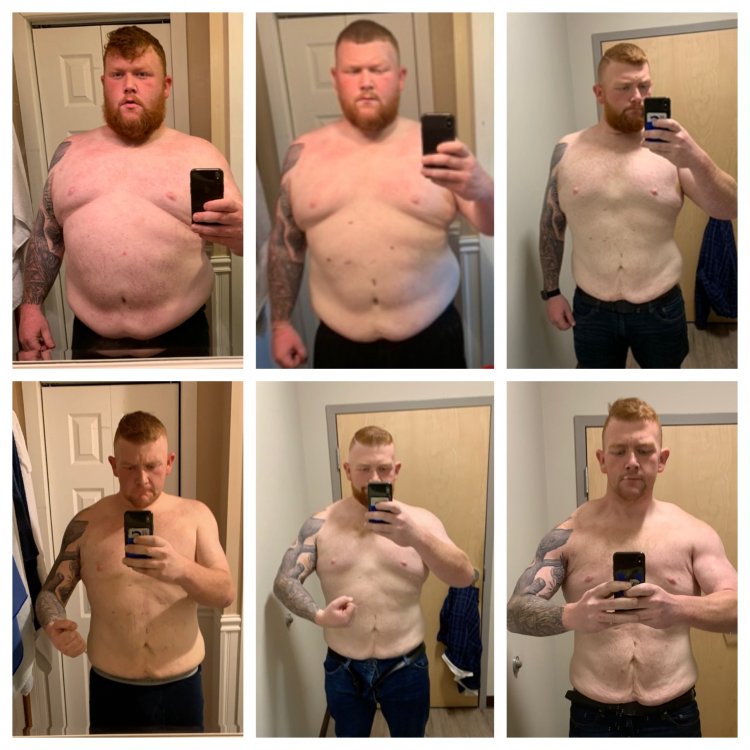
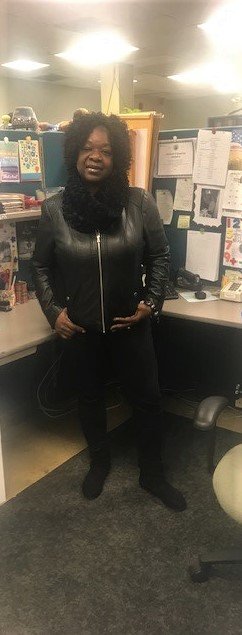
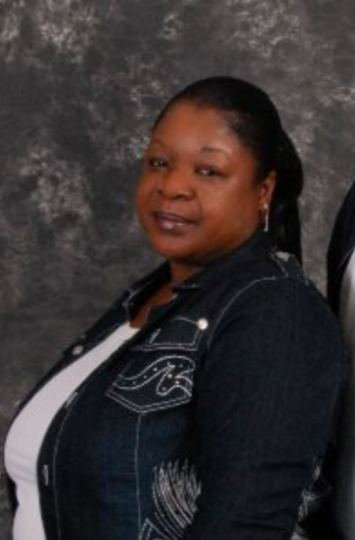
Transformation Timeline: 2011 vs 2019

FB_IMG_1575332882137~2.jpg

20191202_111510_HDR.jpg

whoohoo look at you tuesday is a great day to be you !!!!! you are such a driving force

no one can stop you from your goals in life cheers to you !!!!!

  • Author
27 minutes ago, VIKING 0424 said:

whoohoo look at you tuesday is a great day to be you !!!!! you are such a driving force

no one can stop you from your goals in life cheers to you !!!!!

Awwwww thank you! ?

Join the conversation

You can post now and register later. If you have an account, sign in now to post with your account.

Guest
Reply to this topic...

Account

Navigation

Search

Search

Configure browser push notifications

Chrome (Android)
  1. Tap the lock icon next to the address bar.
  2. Tap Permissions → Notifications.
  3. Adjust your preference.
Chrome (Desktop)
  1. Click the padlock icon in the address bar.
  2. Select Site settings.
  3. Find Notifications and adjust your preference.