Skip to content
View in the app

A better way to browse. Learn more.

BariatricPal

A full-screen app on your home screen with push notifications, badges and more.

To install this app on iOS and iPadOS
  1. Tap the Share icon in Safari
  2. Scroll the menu and tap Add to Home Screen.
  3. Tap Add in the top-right corner.
To install this app on Android
  1. Tap the 3-dot menu (⋮) in the top-right corner of the browser.
  2. Tap Add to Home screen or Install app.
  3. Confirm by tapping Install.

Join BariatricPal free

  • Ask your own questions
  • Reply and follow topics
  • Message other members
  • No cost, no spam

Anyone using the Baritastic App to track nutrition?

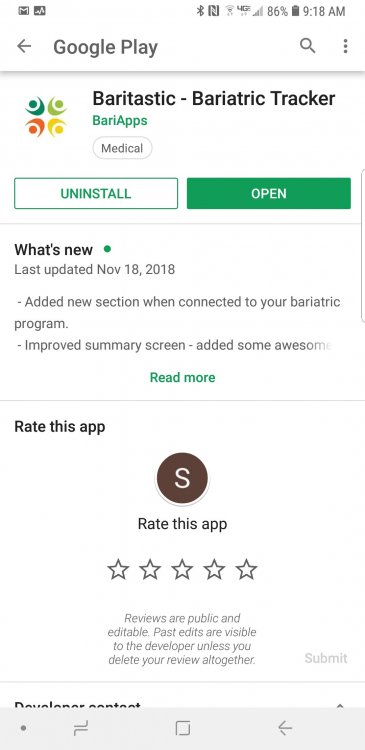
I just found this app in the Google App Store made specifically for bariatric patients for tracking all of our nutrition. It's awesome, it's free, so I wanted to share. [emoji16] It's called Baritastic. Let me know if you use it it if you decide to use it.

  • Replies 29
  • Views 5.2k
  • Created
  • Last Reply

Top Posters In This Topic

Most Popular Posts

  • LaVirtual Closet
    LaVirtual Closet

    Agreed, it was one of the recommended apps by my nutritionist a few months ago. I'm 49 days post-op and it is a central part of my journey.

  • I love it, it is a really helpful app. I had surgery Nov 5.

  • I just downloaded the app. Thank you!

Posted Images

Featured Replies

I use it! I think it is great. I just wish their food database was more updated. I'm constantly having to put in new things because it cannot be found within their database which is a pain. I also find that their barcode scan thing malfunctions a lot.

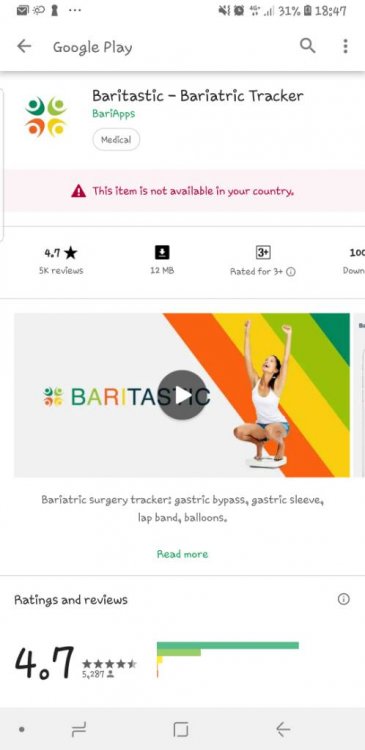
Couldn't find it [emoji17] would you kindly screenshot the logo, plenty of them that I can't relate.
Some countries' Google Play stores don't list it if you're using Android you can manually install the apk (you have to set permissions to allow installation from unknown sources) but here's a link : https://apkpure.com/baritastic-bariatric-tracker/com.baritastic.view
It ain't working too, any other suggestions?
Is the link not working? Or when u try and install it u get an error msg?
I use it. It’s connected to my hospital so I get reminders about support meetings too.

I am going to have to try it again. Right now i am tracking liquids and protein manually. I am waiting for my nutritionist to fill me in on daily goal break downs. I am just now on soft foods and go to real foods on the 20th. I am hoping to have some sort of answers by then. Right now.. all i know is i get my protein in, and my water in.. How much i am consuming? Maybe 2 ounces per meal.. but what the breakdown is caloric, carb, fiber, fat wise.. no clue- other than i know i am making healthy choices lol

  • Author
It ain't working too, any other suggestions?
Did you try from their website? www.baritastic.com
Is the link not working? Or when u try and install it u get an error msg?
It keeps loading but on the same page, no progress. Thanx anyway.
I use it. Overall it is a great app. The last update fixed a lot of the issues with it but I cannot stand how it doesn’t store all the foods I scan and put in on a daily basis. I constantly have to scan foods over and over each time I eat them.

However, for free, I can’t complain too much and it has certainly aided a ton in my 160+ lb weight loss.
19 hours ago, Sarah M. said:

Thanx for all your help, i guess I'll find something similar

I used to use www.myfitnesspal.com some pros are I think the tracking is more accurate, there is a much larger food database, and you can track on a laptop/desktop OR the app. Baritastic can only be used on the app. I like them both for different reasons.

Join the conversation

You can post now and register later. If you have an account, sign in now to post with your account.

Guest
Reply to this topic...

Account

Navigation

Search

Search

Configure browser push notifications

Chrome (Android)
  1. Tap the lock icon next to the address bar.
  2. Tap Permissions → Notifications.
  3. Adjust your preference.
Chrome (Desktop)
  1. Click the padlock icon in the address bar.
  2. Select Site settings.
  3. Find Notifications and adjust your preference.