Skip to content
View in the app

A better way to browse. Learn more.

BariatricPal

A full-screen app on your home screen with push notifications, badges and more.

To install this app on iOS and iPadOS
  1. Tap the Share icon in Safari
  2. Scroll the menu and tap Add to Home Screen.
  3. Tap Add in the top-right corner.
To install this app on Android
  1. Tap the 3-dot menu (⋮) in the top-right corner of the browser.
  2. Tap Add to Home screen or Install app.
  3. Confirm by tapping Install.
  • Appearance

Join BariatricPal free

  • Ask your own questions
  • Reply and follow topics
  • Message other members
  • No cost, no spam

Anyone using the Baritastic App to track nutrition?

I just found this app in the Google App Store made specifically for bariatric patients for tracking all of our nutrition. It's awesome, it's free, so I wanted to share. [emoji16] It's called Baritastic. Let me know if you use it it if you decide to use it.

  • Replies 29
  • Views 5.2k
  • Created
  • Last Reply

Top Posters In This Topic

Most Popular Posts

  • LaVirtual Closet
    LaVirtual Closet

    Agreed, it was one of the recommended apps by my nutritionist a few months ago. I'm 49 days post-op and it is a central part of my journey.

  • I love it, it is a really helpful app. I had surgery Nov 5.

  • I just downloaded the app. Thank you!

Posted Images

Featured Replies

I love it, it is a really helpful app. I had surgery Nov 5.

I just downloaded the app. Thank you!

I've been using it for months and love it.

Been using it since before my Aug 15 surgery. Love it. Easy to use.

Yeah, it's one of the apps my RD req'd too. But I use what I know MFP and didn't want to have to re-learn a new program. LOL. Glad you like it!

I use Baritastic too. It's easy to use.

  • Author
I use Baritastic too. It's easy to use.
I agree. I've found it used friendly and awesome because it's tailored to bariatric patients.

I use Baritastic! I really love it.

  • Author
5 hours ago, Sarah M. said:

Everyone seems to be happy with it, gotta download it right away.. any specifications? How does to logo looks like?

In google app store, just look for Baritastic. It'll come up.

In google app store, just look for Baritastic. It'll come up.
Couldn't find it [emoji17] would you kindly screenshot the logo, plenty of them that I can't relate.
  • Author
29 minutes ago, Sarah M. said:
Couldn't find it would you kindly screenshot the logo, plenty of them that I can't relate.

Go to www.baritastric.com

Edited by The 56 Bypass

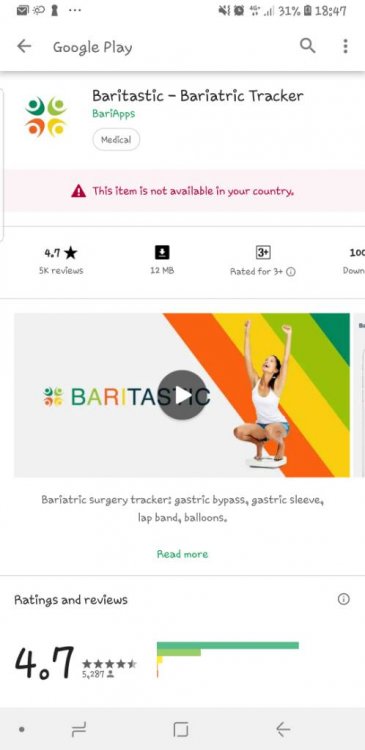
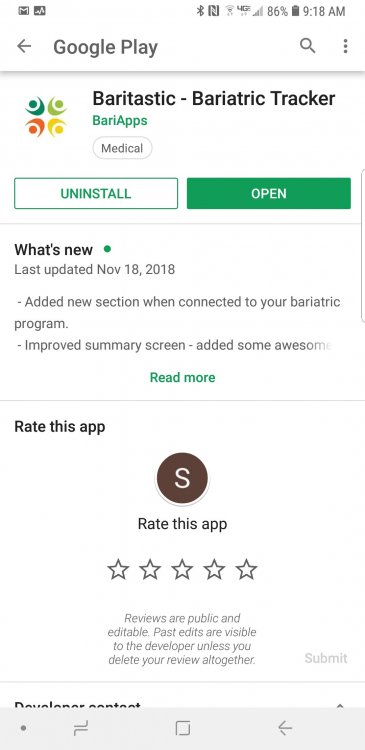
Sorry, but you're spelling it wrong. It is on the play store as baritastic. There is a logo with four colors. 97594150_Screenshot_20181208-091827_GooglePlayStore.thumb.jpg.dbe07f993c6efc4911103eea5d00dd7b.jpg

  • Author
Sorry, but you're spelling it wrong. It is on the play store as baritastic. There is a logo with four colors. 97594150_Screenshot_20181208-091827_GooglePlayStore.thumb.jpg.dbe07f993c6efc4911103eea5d00dd7b.jpg


Yeah, it's easy to spell wrong.

Join the conversation

You can post as a guest; create a free account to track replies, follow topics, and be part of the largest weight loss surgery community.

Join the conversation

You can post now and register later. If you have an account, sign in now to post with your account.

Guest
Reply to this topic...

Account

Navigation

Search

Search

Configure browser push notifications

Chrome (Android)
  1. Tap the lock icon next to the address bar.
  2. Tap Permissions → Notifications.
  3. Adjust your preference.
Chrome (Desktop)
  1. Click the padlock icon in the address bar.
  2. Select Site settings.
  3. Find Notifications and adjust your preference.