Skip to content
View in the app

A better way to browse. Learn more.

BariatricPal

A full-screen app on your home screen with push notifications, badges and more.

To install this app on iOS and iPadOS
  1. Tap the Share icon in Safari
  2. Scroll the menu and tap Add to Home Screen.
  3. Tap Add in the top-right corner.
To install this app on Android
  1. Tap the 3-dot menu (⋮) in the top-right corner of the browser.
  2. Tap Add to Home screen or Install app.
  3. Confirm by tapping Install.

Join BariatricPal free

  • Ask your own questions
  • Reply and follow topics
  • Message other members
  • No cost, no spam

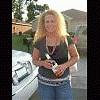
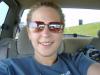
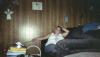
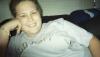
pics/before during and now of Kyleigh

Here are some pix of me 2 before and one now.

post-204039-13813131606118_thumb.jpg

post-204039-13813131606318_thumb.jpg

kyleighp ad.pdf

  • Replies 31
  • Views 3.7k
  • Created
  • Last Reply

Top Posters In This Topic

Posted Images

Featured Replies

  • Author

The 2 jpg are before and the pdf file was about 2 months ago.

My bad, I was confused because it said 4 views on one and 3 views on the other. Great job 60 lbs, that's wonderful.

  • Author

I live in a small town and every once in a while people will say...weren't you in the news paper?

  • Author

I have gained 10 since the ad. Bummer. I lost 70, then gained 10. But I am back on track with my eating/drinking water, so hopefully those 10 I gained will go away soon! I mainly posted those pics so yall could see the before pics. I think most of you have already seen the ad. I don't mean to gloat!

You look great, Kyleigh. You gloat all you want. I think everyone here understands how exciting it is to be where you are. Awesome!

Cool pics Kyleigh! You look great. You should be proud...you are doing an awsome job.

Join the conversation

You can post now and register later. If you have an account, sign in now to post with your account.

Guest
Reply to this topic...

Account

Navigation

Search

Search

Configure browser push notifications

Chrome (Android)
  1. Tap the lock icon next to the address bar.
  2. Tap Permissions → Notifications.
  3. Adjust your preference.
Chrome (Desktop)
  1. Click the padlock icon in the address bar.
  2. Select Site settings.
  3. Find Notifications and adjust your preference.