Skip to content
View in the app

A better way to browse. Learn more.

BariatricPal

A full-screen app on your home screen with push notifications, badges and more.

To install this app on iOS and iPadOS
  1. Tap the Share icon in Safari
  2. Scroll the menu and tap Add to Home Screen.
  3. Tap Add in the top-right corner.
To install this app on Android
  1. Tap the 3-dot menu (⋮) in the top-right corner of the browser.
  2. Tap Add to Home screen or Install app.
  3. Confirm by tapping Install.

Let The Trumpets Blare

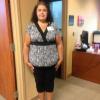
Officially hit 100 lbs gone today!!!!!!!! Still have 75 more to go but feel great about this milestone!

  • Replies 16
  • Views 1.4k
  • Created
  • Last Reply

Featured Replies

So very proud for you!! Way to go!!

AWESOME - keep up the good work - CONGRATS !!!

Great job!! Congratulations!! Don't you just love it when a plan comes together? LOL

Congratulation!!! This is an awesome feat!!!

Wow congrats and great job!!

  • 2 months later...

Congrats that is so awesome! I can't wait to hit that 100 mark, but wow! Great job!

I'm so happy for you. It gives me hope.

  • Author

for the new replies to this post.. this happened in July... new update 129 lbs gone... :D

WOW Kristy! That's awesome!

you are such an inspiration. Doing a happy dance for you, Wonderful news. keep up the great work.

Congratulations

Sent from my iPad using RNYTalk

Good job girl fantastic job. That is awesome :)

Archived

This topic is now archived and is closed to further replies.

Account

Navigation

Search

Search

Configure browser push notifications

Chrome (Android)
  1. Tap the lock icon next to the address bar.
  2. Tap Permissions → Notifications.
  3. Adjust your preference.
Chrome (Desktop)
  1. Click the padlock icon in the address bar.
  2. Select Site settings.
  3. Find Notifications and adjust your preference.