Skip to content
View in the app

A better way to browse. Learn more.

BariatricPal

A full-screen app on your home screen with push notifications, badges and more.

To install this app on iOS and iPadOS
  1. Tap the Share icon in Safari
  2. Scroll the menu and tap Add to Home Screen.
  3. Tap Add in the top-right corner.
To install this app on Android
  1. Tap the 3-dot menu (⋮) in the top-right corner of the browser.
  2. Tap Add to Home screen or Install app.
  3. Confirm by tapping Install.

Join BariatricPal free

  • Ask your own questions
  • Reply and follow topics
  • Message other members
  • No cost, no spam

New Pics, New Clothes, New Body Shape, New Body Image!

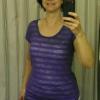
Before and after pics. Never thought I'd feel proud to post pictures of myself. Love my sleeve!

I added more pics to my albums too that give weights, dates and pounds lost.

post-17741-13813658418732_thumb.jpg

post-17741-13813658419135_thumb.jpg

post-17741-13813658420021_thumb.jpg

  • Replies 20
  • Views 2.2k
  • Created
  • Last Reply

Top Posters In This Topic

Most Popular Posts

  • littlebits
    littlebits

    You look great...keep up the good work. Hopefully, I will have my sleeve done in June. *Fingers crossed*


Posted Images

Featured Replies

Damn girl you look FLY!!! GReAT WEight lost! :P:D :tongue2: :tongue2:

You look fantastic and only to get better! And yes, you are still going to be the same you until you make an adjustment and gain some confidence in yourself. This is a journey that everyone has to take with his/her own speed. I love to see progress in people when we start feeling good about themselves and are very successful. This is a transition in your life. We are all on this journey with a hughe transition ahead. We ROCK! ;)

You look so much younger! Awesome! Thanks for sharing.

Join the conversation

You can post now and register later. If you have an account, sign in now to post with your account.

Guest
Reply to this topic...

Account

Navigation

Search

Search

Configure browser push notifications

Chrome (Android)
  1. Tap the lock icon next to the address bar.
  2. Tap Permissions → Notifications.
  3. Adjust your preference.
Chrome (Desktop)
  1. Click the padlock icon in the address bar.
  2. Select Site settings.
  3. Find Notifications and adjust your preference.