Skip to content
View in the app

A better way to browse. Learn more.

BariatricPal

A full-screen app on your home screen with push notifications, badges and more.

To install this app on iOS and iPadOS
  1. Tap the Share icon in Safari
  2. Scroll the menu and tap Add to Home Screen.
  3. Tap Add in the top-right corner.
To install this app on Android
  1. Tap the 3-dot menu (⋮) in the top-right corner of the browser.
  2. Tap Add to Home screen or Install app.
  3. Confirm by tapping Install.

Join BariatricPal free

  • Ask your own questions
  • Reply and follow topics
  • Message other members
  • No cost, no spam

Pictures Of Makeup I Did

  • Replies 26
  • Views 2.2k
  • Created
  • Last Reply

Top Posters In This Topic

Most Popular Posts

Posted Images

Featured Replies

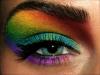
Love the blue green and purple - reminds me of a peacock!

You're very talented! They're beautiful :)

Looks great

Great talent!

you're a great artist!

I charge ladies lol

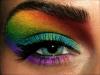
Lol honey for work like that I'd be happy to pay. Now tell me the good news......you live within a reasonable drive of port Townsend aw....cuz the party is at six.....heh heh. (lol and if you do I'm really not kidding!). That rainbow eye is perfect, though the overly (ok lol for regular wear) eye in your first post screams early 70s to me as well!

Since you are likely not local....would you consider giving me a couple of hints on the rainbow eye? I'll go buy some make up but I'm wondering if you are using a liquid color or powder (seems like with powder I wouldn't get that debth of tone). And then again a liquid liner? And is the sparkle sheen built into the color or are you adding that on top? Do you then spray with a make up fixative (like they use on stage...I have that here) or does it hold for a few hours under light wear (just a party, not the opera lol).

And if you want to reply that you don't share those hints my dear...I will not be offended in the least! I totally understand!

  • Author
Since you are likely not local....would you consider giving me a couple of hints on the rainbow eye? I'll go buy some make up but I'm wondering if you are using a liquid color or powder (seems like with powder I wouldn't get that debth of tone). And then again a liquid liner? And is the sparkle sheen built into the color or are you adding that on top? Do you then spray with a make up fixative (like they use on stage...I have that here) or does it hold for a few hours under light wear (just a party' date=' not the opera lol).

And if you want to reply that you don't share those hints my dear...I will not be offended in the least! I totally understand![/quote']

I live in new York Manhattan area I'm no where near you I can try to teach you the steps

  • Author
Since you are likely not local....would you consider giving me a couple of hints on the rainbow eye? I'll go buy some make up but I'm wondering if you are using a liquid color or powder (seems like with powder I wouldn't get that debth of tone). And then again a liquid liner? And is the sparkle sheen built into the color or are you adding that on top? Do you then spray with a make up fixative (like they use on stage...I have that here) or does it hold for a few hours under light wear (just a party' date=' not the opera lol).

And if you want to reply that you don't share those hints my dear...I will not be offended in the least! I totally understand![/quote']

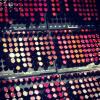
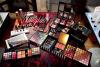
U want this

[ATTACH]4412[/ATTACH]

post-33611-13813659621119_thumb.jpg

Looks beautiful! I wish I could do makeup like that. I have tried tutorials and stuff and I'm not sure if it's my eye shape or what, but it never comes out all that great =p

Join the conversation

You can post now and register later. If you have an account, sign in now to post with your account.

Guest
Reply to this topic...

Account

Navigation

Search

Search

Configure browser push notifications

Chrome (Android)
  1. Tap the lock icon next to the address bar.
  2. Tap Permissions → Notifications.
  3. Adjust your preference.
Chrome (Desktop)
  1. Click the padlock icon in the address bar.
  2. Select Site settings.
  3. Find Notifications and adjust your preference.