Skip to content
View in the app

A better way to browse. Learn more.

BariatricPal

A full-screen app on your home screen with push notifications, badges and more.

To install this app on iOS and iPadOS
  1. Tap the Share icon in Safari
  2. Scroll the menu and tap Add to Home Screen.
  3. Tap Add in the top-right corner.
To install this app on Android
  1. Tap the 3-dot menu (⋮) in the top-right corner of the browser.
  2. Tap Add to Home screen or Install app.
  3. Confirm by tapping Install.

Join BariatricPal free

  • Ask your own questions
  • Reply and follow topics
  • Message other members
  • No cost, no spam

Labor Day Gift Exchange Thank You Thread

Hello All,

The shopping has begun!! I have already gotten some pm's saying their gifts are on the way! You people are right on top of things!!

Please post pictures of your gifts and Thank-You's here on this thread. I will have one of the moderators close the other thread.

Remember every one wants to be acknowledged so please don't forget to post a thank you. No one wants to feel left out. We LOVE pictures as well, so if it's possible, try to post a photo. If any one needs help resizing or attaching a photo let me know and I'll help.

Good luck and happpy Labor Day!

  • Replies 159
  • Views 10.9k
  • Created
  • Last Reply

Top Posters In This Topic

Posted Images

Featured Replies

  • Author

Sorry I've been MIA lately guys, but I was in St.Agustine and I just got back to a computer now.

It sounds like things are working out. I haven't gotten any pm's from any one else saying that they are missing a gift so it sounds like we worked it out mostly. Is there any one else who hasn't gotten their gift? Alison, has your SS pm'ed you??

I was thinking about doing a Halloween exchange, but I think it might be a little close....so I was thinking about doing Thanksgiving instead. What does every one think? Or maybe we should just skip ahead and do a Christmas exchange....

input? ideas?

BTW I hope I'm not hogging the exchanges, if some one else wants to do one let me know and I'll step down. I'm happy to do them, but I don't want any one to think I've made it like "my" thing and no one else can do one.....let me know what u guys think.

Drew...you rock girl!

Jenna... I'm so glad you liked it! Sorry you (almost) got stiffed! It feels great to save the day! :clap2:

Hey K@t...

No sorry, I still haven't gotten my gift and not had a message from my ss to say it's been sent????

I'll keep hoping and waiting :o

I'm all for a Halloween exchange. We could give people 2 -3 weeks to sign up and that would still allow plenty of time for shipping. JMO. We love Halloween at our house. The boys make it so much fun.

K@t did a wonderful thing by having Secret Stiffies. DREWS, you are the best!! I understand that things come up, but this was inexcusable. Princess, glad you got your gift on a day when you needed it the most.

I hope all those missing gifts get their packages soon.

And K@t.... I sooooo appreciate you taking the time to set these exchanges up! I know it must be time consuming and you are awesome! I don't think you are "hogging" anything!

  • Author

Okay

I still don't know who bought for the following people.

A1ikou

Time to Love me

escudero012004

sbmorgaine

jan.barnett

If any one had these people as a SS PLEASE pm me and let me know so I can complete the list. If you have sent your gift and you haven't seen a thank you posted PLEASE pm me so I can check in with your SS. And as of right now 2 people (Alison and Texas Princess) haven't gotten their gifts. Any one else????

Hey,

I received my gift!!!! :clap2: :clap2:

Thank you Elizabeth!

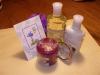
She gave me an assortment of Bath & Body Works lotions, a beautiful silver pen and pencil, and cool shaped post-it notes.

Thanks so much

Join the conversation

You can post now and register later. If you have an account, sign in now to post with your account.

Guest
Reply to this topic...

Account

Navigation

Search

Search

Configure browser push notifications

Chrome (Android)
  1. Tap the lock icon next to the address bar.
  2. Tap Permissions → Notifications.
  3. Adjust your preference.
Chrome (Desktop)
  1. Click the padlock icon in the address bar.
  2. Select Site settings.
  3. Find Notifications and adjust your preference.