Skip to content
View in the app

A better way to browse. Learn more.

BariatricPal

A full-screen app on your home screen with push notifications, badges and more.

To install this app on iOS and iPadOS
  1. Tap the Share icon in Safari
  2. Scroll the menu and tap Add to Home Screen.
  3. Tap Add in the top-right corner.
To install this app on Android
  1. Tap the 3-dot menu (⋮) in the top-right corner of the browser.
  2. Tap Add to Home screen or Install app.
  3. Confirm by tapping Install.

No Coal For Me This Christmas!

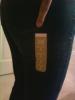
I asked Santa for a size 4 jeans so I could use them as my "goal" jeans. Well I must have been a really good girl this year because they fit perfectly! Merry Christmas everyone! May all your NSV's come true :)

post-9505-13813657996513_thumb.jpg

  • Replies 13
  • Views 1.3k
  • Created
  • Last Reply

Top Posters In This Topic

Posted Images

Featured Replies

That's great!! Making it to a goal is a HUGE NSV!!! :)

Merry size 4 Christmas Raine! I think that is a fabtastic present. If I ever get anywhere near your size I think I will cry...lol!

Congrats on a chrimbo-tastic NSV!!

Awesome job!!!!! Congrats!

That's Fantastic! Merry Christmas!

Whoo Hoo!!!!! Banane55.gif So happy for you! Merry Christmas size 4 sleever!!

Living the dream!,

Laura

Yayyyyy!!!! Congrats darlin'!!!!

CONGRATS!!!!!!!!!!! YAYYYYYYYYYYYYYY!

  • Author

Thanks everyone! I was really surprised when they actually fit too! They just looked so small I thought no way are they going to fit yet lol. I feel and see it sometimes but sometimes not so much because of all the skin and left over stuff. I am seriously considering the TT or lipo in the mid/bottom belly but that isn't going to be for at least another year and a half. Thanks again for everything :)

Congrats Raine! What a great Christmas present. And I think it's a good idea to wait a little before having surgery to remove extra skin. My understanding is that some of it disappears on its own during the first year at goal weight.

Lynda

Woot! Congrats, that had to be a GREAT feeling!! :)

Join the conversation

You can post now and register later. If you have an account, sign in now to post with your account.

Guest
Reply to this topic...

Account

Navigation

Search

Search

Configure browser push notifications

Chrome (Android)
  1. Tap the lock icon next to the address bar.
  2. Tap Permissions → Notifications.
  3. Adjust your preference.
Chrome (Desktop)
  1. Click the padlock icon in the address bar.
  2. Select Site settings.
  3. Find Notifications and adjust your preference.