




Start here
Where are you in your journey?
Choose the path that fits today. We’ll take you to the most useful discussions.
- GLP-1 medication Zepbound, Wegovy, access, side effects, progress, and support.
- Before surgery Compare procedures, plan ahead, and get honest pre-op answers.
- Post-op Recovery, food stages, symptoms, and support.
- Long-term Regain, labs, habits, and life after the honeymoon.
- Revision Explore revision options, complications, and next steps.
Finally getting my port removed tomorrow
- Replies 22
- Views 3.5k
- Created
- Last Reply
Top Posters In This Topic
-
Penni60 3 posts
-
Rockin' Robyn 2 posts
-
donali 1 post
-
gentlespirit 1 post




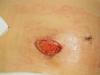
Well it's official, my port is coming out emergently tomorrow at noon (December 28th). I am nervous and incredibly relieved all at the same time. Please pray that I do well with the procedure/anesthesia. My doc is planning on giving me at least 6 weeks to heal before going in and putting in a new port in a different location. I'm hoping I don't lose any of my restriction by having the procedure. Most of all though, I'm just relieved to get the baseball sized knot removed from between my boobs!!!:rolleyes Thanks to all of you for your support and words of encouragement through the past 4 months. I'll keep you updated on how it goes.