Skip to content
View in the app

A better way to browse. Learn more.

BariatricPal

A full-screen app on your home screen with push notifications, badges and more.

To install this app on iOS and iPadOS
  1. Tap the Share icon in Safari
  2. Scroll the menu and tap Add to Home Screen.
  3. Tap Add in the top-right corner.
To install this app on Android
  1. Tap the 3-dot menu (⋮) in the top-right corner of the browser.
  2. Tap Add to Home screen or Install app.
  3. Confirm by tapping Install.

Join BariatricPal free

  • Ask your own questions
  • Reply and follow topics
  • Message other members
  • No cost, no spam

Unable to add stats under “My Surgery”

I’ve tried to add my surgery information under “My Surgery” in forum threads. I click on each category & won’t let me enter anything. I’m also using my IPhone. What am I doing wrong?

  • Replies 11
  • Views 7.8k
  • Created
  • Last Reply

Top Posters In This Topic

Most Popular Posts

  • SelitaEbabe
    SelitaEbabe

    Figured it out! You'll have to go to a computer, click drop down arrow and click my surgery and then you can edit "My surgery".
Posted Images

Featured Replies

Not sure - what I see after clicking on My Surgery are open fields allowing data entry, then save at the bottom. Hope you are able to figure it out soon. Good luck!

  • Author

I see open fields but it will not let me enter data. Might try on my PC vs phone

PC is definitely easier than on the phone.

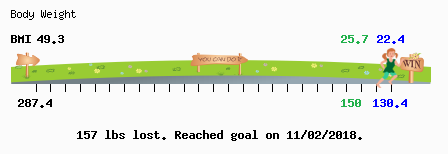
Congrats on your stats! Now go to your signature and fill out a ticker. It's so thrilling to have one in your sig line!! It's in the same area as the other stuff!

Edited by FluffyChix

  • Author
18 minutes ago, FluffyChix said:

PC is definitely easier than on the phone.

Congrats on your stats! Now go to your signature and fill out a ticker. It's so thrilling to have one in your sig line!! It's in the same area as the other stuff!

What’s a ticker?

This

image.png.365844c69e7ab4fcbb40dace3e6d1986.png

  • Author

Interesting. where we can do this?

Up in the signature area. Go into your account information area and I think it's listed in a similar place as "Surgery".

  • 8 months later...

Hi, I'm on my laptop and I can't fill in my surgery information. I can see all open fields but won't let me input any data. Any ideas anyone?

  • 2 weeks later...

I have the same issue. I see the fields under 'My Surgery' but not able to edit or add information. Looked in every category and don't see 'Ticker' either. Following to see new suggestions to try.

  • 4 months later...

I'm having the same problem. I can't input any data.

Figured it out! You'll have to go to a computer, click drop down arrow and click my surgery and then you can edit "My surgery".

Join the conversation

You can post now and register later. If you have an account, sign in now to post with your account.

Guest
Reply to this topic...

Account

Navigation

Search

Search

Configure browser push notifications

Chrome (Android)
  1. Tap the lock icon next to the address bar.
  2. Tap Permissions → Notifications.
  3. Adjust your preference.
Chrome (Desktop)
  1. Click the padlock icon in the address bar.
  2. Select Site settings.
  3. Find Notifications and adjust your preference.