




Start here
Where are you in your journey?
Choose the path that fits today. We’ll take you to the most useful discussions.
- GLP-1 medication Zepbound, Wegovy, access, side effects, progress, and support.
- Before surgery Compare procedures, plan ahead, and get honest pre-op answers.
- Post-op Recovery, food stages, symptoms, and support.
- Long-term Regain, labs, habits, and life after the honeymoon.
- Revision Explore revision options, complications, and next steps.
My first goal accomplished!!!!
- Replies 59
- Views 5.2k
- Created
- Last Reply
Featured Replies
Archived
This topic is now archived and is closed to further replies.
My first goal was to lose enough wait to make myself feel good and it has happened I got my surgery on 10/6 and I was 456.8 pounds and today I weighed myself and I am officially out of the 400's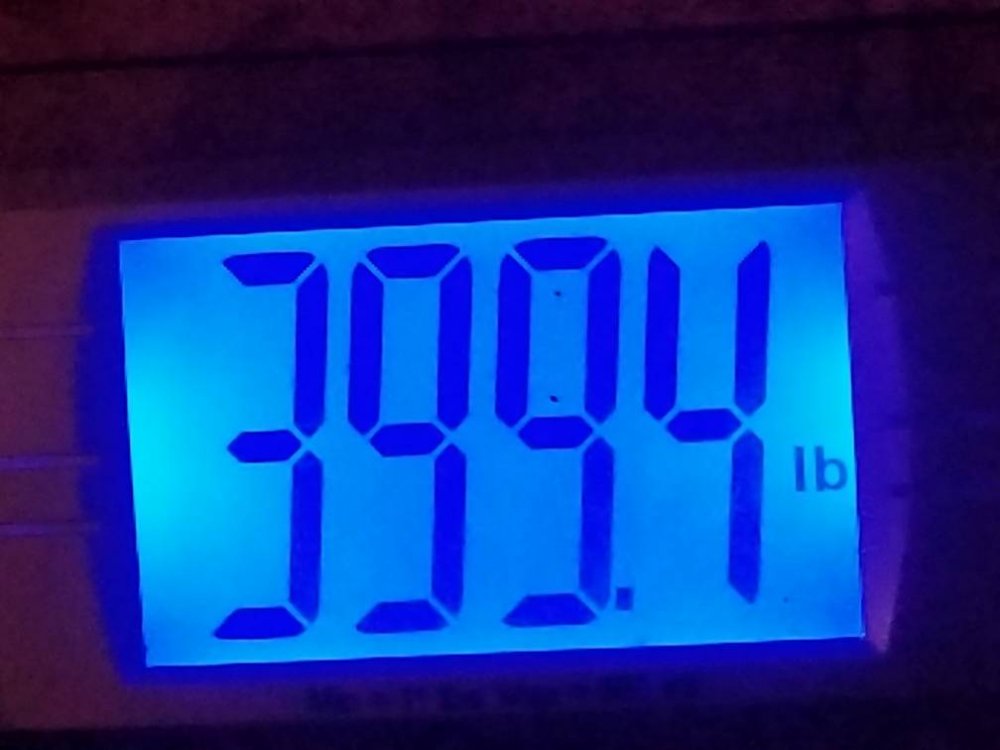 I have not seen a 3 in front of my weight since I was 13 or 14
Sent from my SM-G955U using BariatricPal mobile app