



Skip to content
View in the app

A better way to browse. Learn more.

BariatricPal

A full-screen app on your home screen with push notifications, badges and more.

To install this app on iOS and iPadOS
  1. Tap the Share icon in Safari
  2. Scroll the menu and tap Add to Home Screen.
  3. Tap Add in the top-right corner.
To install this app on Android
  1. Tap the 3-dot menu (⋮) in the top-right corner of the browser.
  2. Tap Add to Home screen or Install app.
  3. Confirm by tapping Install.

Join BariatricPal free

  • Ask your own questions
  • Reply and follow topics
  • Message other members
  • No cost, no spam

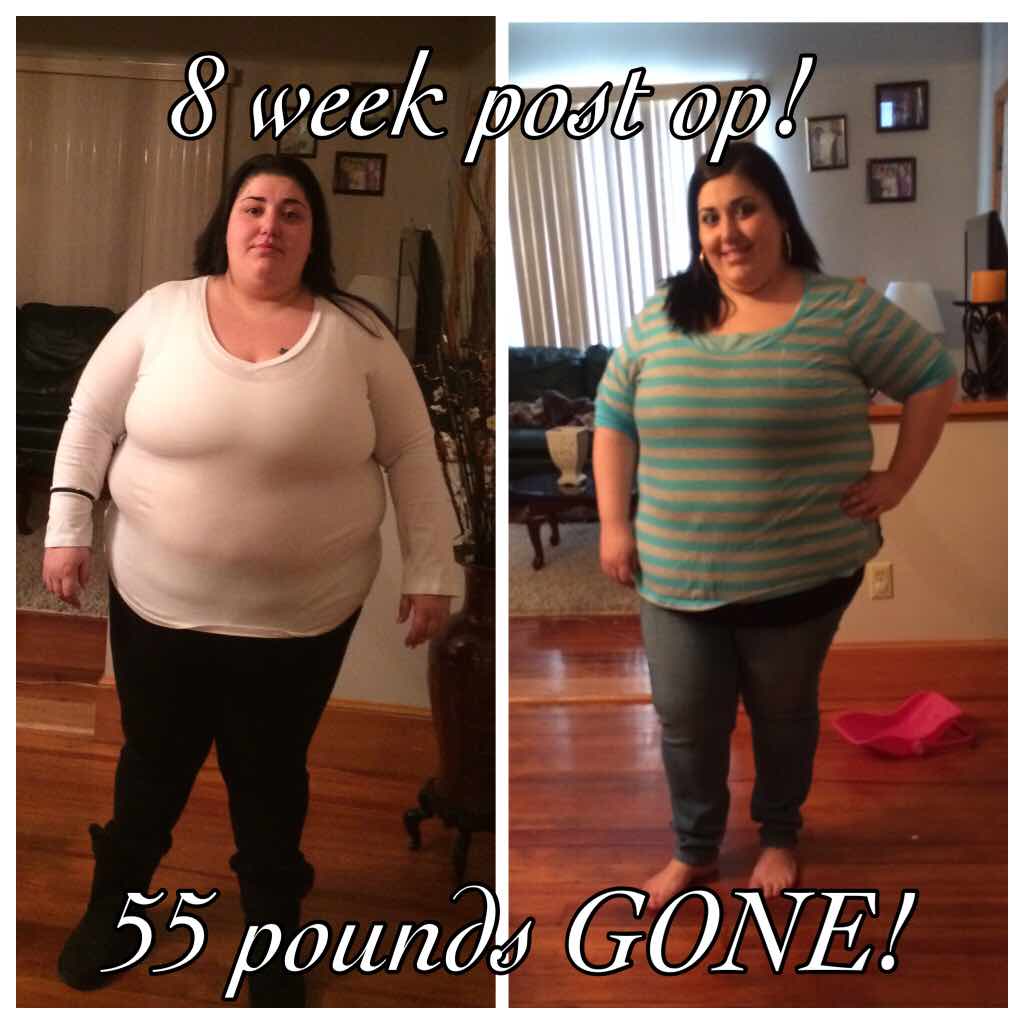
8 week post op!

  • Replies 17
  • Views 1.9k
  • Created
  • Last Reply

Featured Replies

Love your 8 week smile. Congrats!!

attachicon.gif ImageUploadedByBariatricPal1425183709.534728.jpg. This is INSANEEEE guys! Can u tell???

Congratulations, you are looking good! I see the weight loss difference already. Keep up the good work. ☺️

I think I love these posts the best! Congratulations on your progress.

Congrats! You look great! Keep up the hard work!

Congratulations you look great

Hell yeah I can tell! Very nice! Congrats on your terrific progress!

YOU'D HAVE TO BLIND NOT TO SEE THE DIFFERENCE. YOU LOOK GREAT! KEEP IT UP.

Looking good !

What were your beginning stats?

Way to go!!! How are you feeling as well? Love seeing pictures....

I can TOTALLY tell! And not just your face, but your belly is MUCH smaller! Wow!

Absolutely you can tell!! I know sometimes we have a bit of distortion in regards to our size. That's why I recommend taking measurements and buying a full length mirror. Also saving a pair of your largest pants so you can on occasion put them on. At a point the weight loss will slow down...sometimes there will be stalls but there are other ways to gauge the loss besides the number on the scale and it's so important to know that. Looking good...keep it up!

So inspiring! Congrats!

Archived

This topic is now archived and is closed to further replies.

Account

Navigation

Search

Search

Configure browser push notifications

Chrome (Android)
  1. Tap the lock icon next to the address bar.
  2. Tap Permissions → Notifications.
  3. Adjust your preference.
Chrome (Desktop)
  1. Click the padlock icon in the address bar.
  2. Select Site settings.
  3. Find Notifications and adjust your preference.
