




Skip to content
View in the app

A better way to browse. Learn more.

BariatricPal

A full-screen app on your home screen with push notifications, badges and more.

To install this app on iOS and iPadOS
  1. Tap the Share icon in Safari
  2. Scroll the menu and tap Add to Home Screen.
  3. Tap Add in the top-right corner.
To install this app on Android
  1. Tap the 3-dot menu (⋮) in the top-right corner of the browser.
  2. Tap Add to Home screen or Install app.
  3. Confirm by tapping Install.

Join BariatricPal free

  • Ask your own questions
  • Reply and follow topics
  • Message other members
  • No cost, no spam

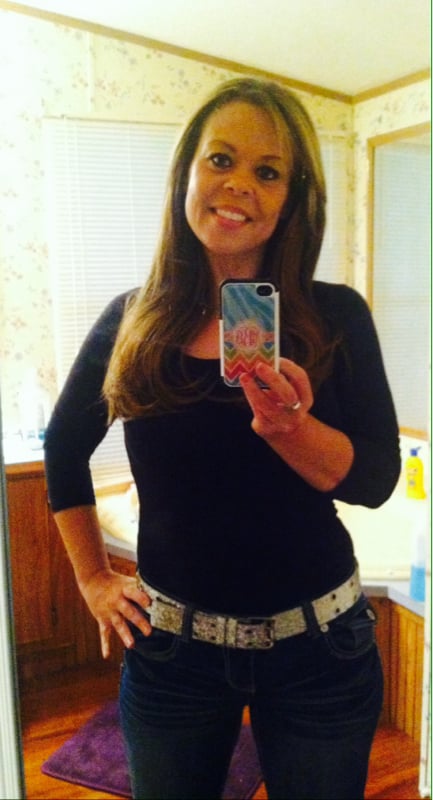
My sucess.. Before surgery 234 after surgery 132

  • Replies 23
  • Views 3k
  • Created
  • Last Reply

Featured Replies

Congrats - you look amazing! Its very encouraging because i started at 250 & i'm at 8 weeks post op & have hit a stall. it's been a rough road so far & i love hearing all the success stories. Any advice to us newbies? i'm down 43lbs so far but 17 was from pre-op.

Edited by klovitt0171

  • Author

You'll get there no worries it just takes tidiness and patience.. The more I eat right the more weight I would lose.. I started stalling when I wasn't able to eat, but just be patient

  • Author

You'll get there no worries it just takes time and patience.. The more I ate right the more weight I would lose.. I started stalling when I wasn't able to eat, but just be patient

Thank you! Now that they dilated my strictures I am starting to be able to eat & drink more so hopefully it will start again. I started using my treadmill & it's amazing how much easier it is now that I've lost 44lbs but just been stuck so hopefully it will start again soon! Thanks for the encouragement!!

You look amazing. Great job!

Wow! I love when people post before and after pics. It's so motivating to everyone regardless of where in the WLS process they are currently. Thks for sharing!

Archived

This topic is now archived and is closed to further replies.

Account

Navigation

Search

Search

Configure browser push notifications

Chrome (Android)
  1. Tap the lock icon next to the address bar.
  2. Tap Permissions → Notifications.
  3. Adjust your preference.
Chrome (Desktop)
  1. Click the padlock icon in the address bar.
  2. Select Site settings.
  3. Find Notifications and adjust your preference.
