Skip to content
View in the app

A better way to browse. Learn more.

BariatricPal

A full-screen app on your home screen with push notifications, badges and more.

To install this app on iOS and iPadOS
  1. Tap the Share icon in Safari
  2. Scroll the menu and tap Add to Home Screen.
  3. Tap Add in the top-right corner.
To install this app on Android
  1. Tap the 3-dot menu (⋮) in the top-right corner of the browser.
  2. Tap Add to Home screen or Install app.
  3. Confirm by tapping Install.

Join BariatricPal free

  • Ask your own questions
  • Reply and follow topics
  • Message other members
  • No cost, no spam

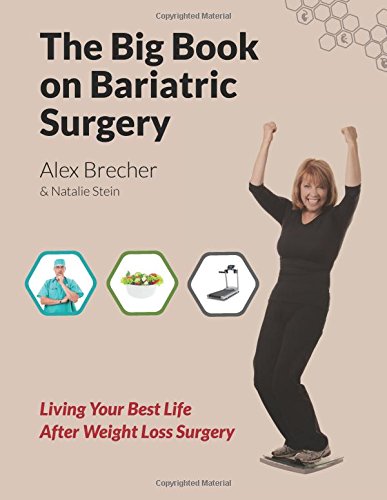
The Big Book on Bariatric Surgery: Living Your Best Life After Weight Loss Surgery has arrived!

Dear BariatricPal Members,
We have an exciting announcement to make! We are delighted to tell you that we have published The Big Book on Bariatric Surgery: Living Your Best Life After Weight Loss Surgery! This book is packed with suggestions on how you can lose more weight and love your life after weight loss surgery. This friendly and indispensable guide includes the following.
  • Sample menus for all stages of the weight loss surgery diet.
  • Simple and fun high-Protein, low-calorie recipes to liven up your meal plan.
  • Strategies for getting enough protein, Fluid, and Vitamins and minerals.
  • Staying motivated and getting over plateaus.
  • How you can lose weight at restaurants, parties, and on vacation.
  • And much more!

41Qf1TmByOL.jpg

We are super proud of our new book, and we can't wait to find out what you think about it! The book is available in hard copy and as an electronic download. You can get your copy of The Big Book on Bariatric Surgery exclusively via Amazon.com or via your Kindle. In 90 days the title will also be available directly from BariatricPal, iBooks, Barnes and Nobles and Kobo.
Remember to take a look at out our earlier books if you have not already read them! They give you the information you need as you decide whether to have weight loss surgery, prepare for and recover from the surgery, and lay a solid foundation for your weight loss journey.
  • Replies 22
  • Views 3.9k
  • Created
  • Last Reply

Featured Replies

I had my sleeve 7 weeks ago-which book do you recommend for me? I can only buy one so I want to make sure I get the right one

Madwife2002 I just received my big book after bariatric surgery by Alex Brecher and It is AMAZING. It even tells you exactly what your meals on each diet can be , they list it for you. It is SOOOOOOOOOO worth the money. Good luck

  • Author

Madwife2002 I just received my big book after bariatric surgery by Alex Brecher and It is AMAZING. It even tells you exactly what your meals on each diet can be , they list it for you. It is SOOOOOOOOOO worth the money. Good luck

Thanks! Please remember to leave a review if you purchased via Amazon! :D

  • 2 weeks later...

I just wanted to say that, I am really on the fence about having my surgery I am really trying to educate myself so there won't be a lot of surprises but I keep reading posts and it is sorta making me rethink this but I wanted to also say that I purchased the book "THE EMOTIONAL FIRST+AID KIT book and I feel it was a waste of money. I Loved my big book on the Gastric Sleeve and I have read it approx. 5 times but I was hoping this one would help with the Emotional Part but I wasn't impressed, and this is just my personal opinion, but if I had it to do over I would not waste the money. My big book is my surgery bible.

WOW! I Let my boss borrow my Big Book on the Gastric sleeve today and the big book on Bariatric surgery and I feel lost. :)

WOW! I Let my boss borrow my Big Book on the Gastric sleeve today and the big book on Bariatric surgery and I feel lost. :)

Ask us! Most of us have read one or both! (It can be a pop quiz.). :)

Archived

This topic is now archived and is closed to further replies.

Account

Navigation

Search

Search

Configure browser push notifications

Chrome (Android)
  1. Tap the lock icon next to the address bar.
  2. Tap Permissions → Notifications.
  3. Adjust your preference.
Chrome (Desktop)
  1. Click the padlock icon in the address bar.
  2. Select Site settings.
  3. Find Notifications and adjust your preference.