Skip to content
View in the app

A better way to browse. Learn more.

BariatricPal

A full-screen app on your home screen with push notifications, badges and more.

To install this app on iOS and iPadOS
  1. Tap the Share icon in Safari
  2. Scroll the menu and tap Add to Home Screen.
  3. Tap Add in the top-right corner.
To install this app on Android
  1. Tap the 3-dot menu (⋮) in the top-right corner of the browser.
  2. Tap Add to Home screen or Install app.
  3. Confirm by tapping Install.

Join BariatricPal free

  • Ask your own questions
  • Reply and follow topics
  • Message other members
  • No cost, no spam

Official Halloween Exchange Thank You Thread

Hi all,

Please post your thank you's for your gifts here and pictures are always appreciated. Happy shopping and get those gifts out ASAP!!

  • Replies 79
  • Views 4.9k
  • Created
  • Last Reply

Top Posters In This Topic

Posted Images

Featured Replies

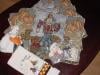
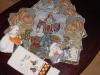
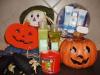
Thanks so much Drews! I received a box full of goodies from Bath and Body! Delicious smelling Cherry Blossum scented body wash, bubble bath, lotion, etc. Thanks again Drews for being my substitute Ghostly Giver! Thanks K@t for making sure that I wasn't left out in the cold! You guys are awesome!

I gotta give a big ol' hand to Drews. She rocks at the substitute gifter role!:clap2: :clap2: :clap2: :clap2: :clap2: :clap2:

And to Kat for another exchange well done. You are appreciated.:clap2: :clap2: :clap2: :clap2:

Join the conversation

You can post now and register later. If you have an account, sign in now to post with your account.

Guest
Reply to this topic...

Account

Navigation

Search

Search

Configure browser push notifications

Chrome (Android)
  1. Tap the lock icon next to the address bar.
  2. Tap Permissions → Notifications.
  3. Adjust your preference.
Chrome (Desktop)
  1. Click the padlock icon in the address bar.
  2. Select Site settings.
  3. Find Notifications and adjust your preference.