




Start here
Where are you in your journey?
Choose the path that fits today. We’ll take you to the most useful discussions.
- GLP-1 medication Zepbound, Wegovy, access, side effects, progress, and support.
- Before surgery Compare procedures, plan ahead, and get honest pre-op answers.
- Post-op Recovery, food stages, symptoms, and support.
- Long-term Regain, labs, habits, and life after the honeymoon.
- Revision Explore revision options, complications, and next steps.
Look What The Fed Ex Guy Brought Me! :)
- Replies 34
- Views 4.6k
- Created
- Last Reply
Top Posters In This Topic
-
Lissa 5 posts
-
Dooter 1 post
-
Wolfgirl1978 1 post
-
lowe1961 1 post




Most Popular Posts
-
Dooter, I won the iPod Touch contest for being the biggest mouth on here during a specific time period. It's nice to win something for being myself! LOL
-
Well, it works great for working out! Here's a picture of the sweat bib it helped me earn!
-
Since this post popped up in my feed today, I thought I'd post that I'm LOVING the iPod Touch!! I use it every day for gym time! It's great because I can turn off my phone, go into the gym and workout

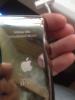
So, Fed Ex came earlier and this is what they brought me! WOO HOO!! I was on my way out the door to work out, so I get to try out my new toy today!!
Check it out! It's even engraved with my name and VST!!!