Skip to content
View in the app

A better way to browse. Learn more.

BariatricPal

A full-screen app on your home screen with push notifications, badges and more.

To install this app on iOS and iPadOS
  1. Tap the Share icon in Safari
  2. Scroll the menu and tap Add to Home Screen.
  3. Tap Add in the top-right corner.
To install this app on Android
  1. Tap the 3-dot menu (⋮) in the top-right corner of the browser.
  2. Tap Add to Home screen or Install app.
  3. Confirm by tapping Install.

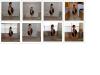
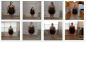
Me From The Night Before Surgery Til Tonight, 7 Weeks Post Op

This is me the night before surgery all the way up til tonight, 7 weeks post op.

post-25073-13813658818385_thumb.jpg

post-25073-13813658818817_thumb.jpg

  • Replies 8
  • Views 841
  • Created
  • Last Reply

Top Posters In This Topic

Most Popular Posts

Posted Images

Featured Replies

Lookin' good! You can see your hard work paying off. Keep it up girl!

  • Author

Thanks I'm sure trying.

Good job!

Sent from my iPhone using VST

  • Author

Thank you

Congrats....on ur way!!

keepin it real ;)
  • Author

Thank you.

You are definitely on your way! I already see changes in your leg, hips, arms and neck!! Great job!!! :)

  • Author
You are definitely on your way! I already see changes in your leg' date=' hips, arms and neck!! Great job!!! :)[/quote']

Thank you. The gym is paying off

Join the conversation

You can post now and register later. If you have an account, sign in now to post with your account.

Guest
Reply to this topic...

Account

Navigation

Search

Search

Configure browser push notifications

Chrome (Android)
  1. Tap the lock icon next to the address bar.
  2. Tap Permissions → Notifications.
  3. Adjust your preference.
Chrome (Desktop)
  1. Click the padlock icon in the address bar.
  2. Select Site settings.
  3. Find Notifications and adjust your preference.