Skip to content
View in the app

A better way to browse. Learn more.

BariatricPal

A full-screen app on your home screen with push notifications, badges and more.

To install this app on iOS and iPadOS
  1. Tap the Share icon in Safari
  2. Scroll the menu and tap Add to Home Screen.
  3. Tap Add in the top-right corner.
To install this app on Android
  1. Tap the 3-dot menu (⋮) in the top-right corner of the browser.
  2. Tap Add to Home screen or Install app.
  3. Confirm by tapping Install.

Join BariatricPal free

  • Ask your own questions
  • Reply and follow topics
  • Message other members
  • No cost, no spam

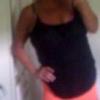
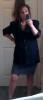
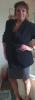
64 Pds Later And I Am Not Done In Jeans Woo Hoo

  • Replies 11
  • Views 1.5k
  • Created
  • Last Reply

Top Posters In This Topic

Posted Images

Featured Replies

Living Again

Looking good Chicke!!

kathy

Wow, you are doing absolutely fabulous! Congratulations!

WHOO HOO! CONGRATS!!!!

Congrats!!!

Way to go!!

  • Author

Thank you so much support means everything!

  • 2 weeks later...

Wow , congrats fabulous amazing ;)

Where u did sleeve surgery , which doctor ? And how much that cost? Is it covered by Aetna ppo !! I like to do it ASAP :(

  • Author

They do my friend has Aetna and I had it done with Dr. Artuso hes in Wsetchester and Dutchess county ny I went spoke to him had all my workup done 1 days everything 2 weeks later surgery! Best thing Ive ever done good luck ty

Join the conversation

You can post now and register later. If you have an account, sign in now to post with your account.

Guest
Reply to this topic...

Account

Navigation

Search

Search

Configure browser push notifications

Chrome (Android)
  1. Tap the lock icon next to the address bar.
  2. Tap Permissions → Notifications.
  3. Adjust your preference.
Chrome (Desktop)
  1. Click the padlock icon in the address bar.
  2. Select Site settings.
  3. Find Notifications and adjust your preference.