Skip to content
View in the app

A better way to browse. Learn more.

BariatricPal

A full-screen app on your home screen with push notifications, badges and more.

To install this app on iOS and iPadOS
  1. Tap the Share icon in Safari
  2. Scroll the menu and tap Add to Home Screen.
  3. Tap Add in the top-right corner.
To install this app on Android
  1. Tap the 3-dot menu (⋮) in the top-right corner of the browser.
  2. Tap Add to Home screen or Install app.
  3. Confirm by tapping Install.

Back from my Cruise!!! With Pics!!

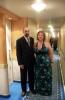
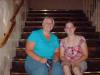
Hi everyone!! I'm back from my cruise and boy did we have a great time!!!! I was so anxious to get on the scale, thought I might have gained a pound or two (did what my nut said too..not to worry about choices but to worry about portions)..but I lost two pounds..then got on the scale this morning and I lost another two pounds. My grand total is 65 pounds!!! WOOHOO!!! I will be 4 months postop on Saturday!

I added a few pictures!!

post-9959-13813657326356_thumb.jpg

post-9959-13813657326687_thumb.jpg

  • Replies 12
  • Views 1.7k
  • Created
  • Last Reply

Top Posters In This Topic

Posted Images

Featured Replies

Wow, you look absolurely beautiful, congrats on the weight loss, even while on a cruise! Your weight loss is very impressive too, way to go!!

:cheer2:

looken really good!

Don't ya love losing on vacation?!

Congrats! I hope you had a blast! :)

You look great!!! :)

Join the conversation

You can post now and register later. If you have an account, sign in now to post with your account.

Guest
Reply to this topic...

Account

Navigation

Search

Search

Configure browser push notifications

Chrome (Android)
  1. Tap the lock icon next to the address bar.
  2. Tap Permissions → Notifications.
  3. Adjust your preference.
Chrome (Desktop)
  1. Click the padlock icon in the address bar.
  2. Select Site settings.
  3. Find Notifications and adjust your preference.