Skip to content
View in the app

A better way to browse. Learn more.

BariatricPal

A full-screen app on your home screen with push notifications, badges and more.

To install this app on iOS and iPadOS
  1. Tap the Share icon in Safari
  2. Scroll the menu and tap Add to Home Screen.
  3. Tap Add in the top-right corner.
To install this app on Android
  1. Tap the 3-dot menu (⋮) in the top-right corner of the browser.
  2. Tap Add to Home screen or Install app.
  3. Confirm by tapping Install.

Join BariatricPal free

  • Ask your own questions
  • Reply and follow topics
  • Message other members
  • No cost, no spam

Post op Band 2007 to Post op Tummy Tuck 2009

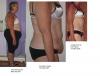
Here are a few pics that show my progress. Keep in mind that I lost 38 pounds before I was banded, but I don't have any pics from my heaviest.

I'm still swollen as I'm only two weeks post op on the tummy tuck, but I think my plastic surgeon did a fabulous job. By the way, she is Dr. Peggy Howrigan, Wellesley, MA.

Thanks go to my LapBand Talk friends too!

Loving the belly being gone! I love my band!

post-222983-13813138421121_thumb.jpg

Edited by Sue Magoo
Forgot to thank my lbt friends!

  • Replies 9
  • Views 1.3k
  • Created
  • Last Reply

Top Posters In This Topic

Posted Images

Featured Replies

You look wonderful!!! What a transformation. It doesn't look like you have any swelling at all. No fair!

  • Author
you look great my tt was so painful did you have alot of pain

Thank you. I had unbearable pain the first 24 hours because I had dry heaves from anesthesia. It was tolerable after that. It's definitely not a surgery for wimps! You look like the pain was worth it! Congratulations!

Looking good Sue Magoo!:)

Tracy

hey sue

found 'em

disregard where i ask you where you posted your photo's...

you look great!!!!

it was all worth it wasnt it?

josie

Wohooo look at your new sexy body!!!! :confused:

I know your very proud of all your hard work.

Enjoy that new you!!!:)

Join the conversation

You can post now and register later. If you have an account, sign in now to post with your account.

Guest
Reply to this topic...

Account

Navigation

Search

Search

Configure browser push notifications

Chrome (Android)
  1. Tap the lock icon next to the address bar.
  2. Tap Permissions → Notifications.
  3. Adjust your preference.
Chrome (Desktop)
  1. Click the padlock icon in the address bar.
  2. Select Site settings.
  3. Find Notifications and adjust your preference.