Skip to content
View in the app

A better way to browse. Learn more.

BariatricPal

A full-screen app on your home screen with push notifications, badges and more.

To install this app on iOS and iPadOS
  1. Tap the Share icon in Safari
  2. Scroll the menu and tap Add to Home Screen.
  3. Tap Add in the top-right corner.
To install this app on Android
  1. Tap the 3-dot menu (⋮) in the top-right corner of the browser.
  2. Tap Add to Home screen or Install app.
  3. Confirm by tapping Install.

Join BariatricPal free

  • Ask your own questions
  • Reply and follow topics
  • Message other members
  • No cost, no spam

16lbs shy of losing 200

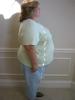
My goal of losing 200 lbs is now looking within reach! I have 16lbs to go as of 1/10/2009. Thought i would share my pictures at this point.

post-205874-1381313804415_thumb.jpg

post-205874-13813138044549_thumb.jpg

post-205874-13813138044959_thumb.jpg

  • Replies 21
  • Views 3.1k
  • Created
  • Last Reply

Top Posters In This Topic

Posted Images

Featured Replies

  • Author

Thank you all for your lovely comments. It gives me the motivation to push forward to goal!

Thank you all for your lovely comments. It gives me the motivation to push forward to goal!

Omg, I thought you were AT goal! Where else could you possibly lose? :rolleyes:

I showed my mom your pic and her jaw about hit the floor. She was stunned.

  • 2 weeks later...

What a wonderful inspiration you are. This is my first time at any chat site for Lap Band and it was great to see that others are following the same general path that I have been on since I began my journey Sept 06. Like you, I have a goal of losing 200# -- I am currently down 186. I would like to get the other 14 off before May when I am scheduled to get all of the extra skin around my middle section removed. Nervous...but also can't hardly wait.

  • 2 weeks later...

glad to see your almost there. you have done so great at losing the weight. you are looking hotter and hotter!!!!

im hoping one day i can do as good as you. people like you keep me going.

Join the conversation

You can post now and register later. If you have an account, sign in now to post with your account.

Guest
Reply to this topic...

Account

Navigation

Search

Search

Configure browser push notifications

Chrome (Android)
  1. Tap the lock icon next to the address bar.
  2. Tap Permissions → Notifications.
  3. Adjust your preference.
Chrome (Desktop)
  1. Click the padlock icon in the address bar.
  2. Select Site settings.
  3. Find Notifications and adjust your preference.