Skip to content
View in the app

A better way to browse. Learn more.

BariatricPal

A full-screen app on your home screen with push notifications, badges and more.

To install this app on iOS and iPadOS
  1. Tap the Share icon in Safari
  2. Scroll the menu and tap Add to Home Screen.
  3. Tap Add in the top-right corner.
To install this app on Android
  1. Tap the 3-dot menu (⋮) in the top-right corner of the browser.
  2. Tap Add to Home screen or Install app.
  3. Confirm by tapping Install.

Join BariatricPal free

  • Ask your own questions
  • Reply and follow topics
  • Message other members
  • No cost, no spam

Not for the queasy, an inside view of my band

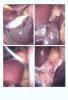
Ok I was going to post this under another thread but thought some might miss it and it is sort of cool. I had my gall bladder out in July and the Dr took a picture of my gallbladder as well as my band. So, here it is in all its glory. The lower left view is the band the other views are my gallbladder (sorry I couldn't seperate them). Hope you enjoy!!

post-227477-13813137559825_thumb.jpg

Edited by Jaymie72

  • Replies 21
  • Views 1.8k
  • Created
  • Last Reply

Top Posters In This Topic

Posted Images

Featured Replies

Your band is very pretty..makes you look skinny.

I'm sure for many, this was educational; thanks for posting. Of course, I was also interested in the gallbladder pics too.

  • Author
Your band is very pretty..makes you look skinny.

Thanks!! That was definetly the look I was going for, lol!!

I was glad he took these pics because it gave me a better idea of what my band looked like and how it was positioned. The gallbladder one is cool too. If you will notice it is first the gallbladder. Then it is where is was before they sewed the duct and the last is the sewn duct. I think he took the band pic just for good measure. I am glad you all have "enjoyed" it.

I see it now. Thanks...that's neat to see.

Very cool. I told my nurse how I wanted pics...going to ask the surgeon when I have my preop appt with him.

Join the conversation

You can post now and register later. If you have an account, sign in now to post with your account.

Guest
Reply to this topic...

Account

Navigation

Search

Search

Configure browser push notifications

Chrome (Android)
  1. Tap the lock icon next to the address bar.
  2. Tap Permissions → Notifications.
  3. Adjust your preference.
Chrome (Desktop)
  1. Click the padlock icon in the address bar.
  2. Select Site settings.
  3. Find Notifications and adjust your preference.