




Start here
Where are you in your journey?
Choose the path that fits today. We’ll take you to the most useful discussions.
- GLP-1 medication Zepbound, Wegovy, access, side effects, progress, and support.
- Before surgery Compare procedures, plan ahead, and get honest pre-op answers.
- Post-op Recovery, food stages, symptoms, and support.
- Long-term Regain, labs, habits, and life after the honeymoon.
- Revision Explore revision options, complications, and next steps.
I took my band on vacation!
- Replies 16
- Views 1.6k
- Created
- Last Reply
Top Posters In This Topic
-
Kimber-lilly 4 posts
-
paula 2 posts
-
HarleyNana 2 posts
-
New Hope 1 post




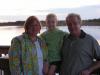
Just back from a week in Orlando and St Pete Beach with my DH and DS. Had a great time, still horrified by the way I look in the photos, but I look better than i did before my band, that is for sure. I had a few problems eating out all the time--can't eat shrimp no matter what I do! Found a great restaurant called the Melting Pot, which serves fondue--we had a ball there, cooking everything and the food is all cut up in tiny pieces, so it was easy to keep track of what I was eating. YUM!
So, I was nervous to go and wondered if I could function as well outside of my home environment--it felt great to lay in the sun, walk on the beach, etc....We traipsed around Disney World in searing heat and I never felt like I was going to die (like I think I would have with my pre band self). Acutallly wore a pair of shorts!
So, now we are back, it's MINUS 9 degrees here and I have a mountain of laundry to get done!