




Start here
Where are you in your journey?
Choose the path that fits today. We’ll take you to the most useful discussions.
- GLP-1 medication Zepbound, Wegovy, access, side effects, progress, and support.
- Before surgery Compare procedures, plan ahead, and get honest pre-op answers.
- Post-op Recovery, food stages, symptoms, and support.
- Long-term Regain, labs, habits, and life after the honeymoon.
- Revision Explore revision options, complications, and next steps.
What are some Sleeve friendly foods/meals(Regular Diet) at chain restaurants and FF Restaurant?s
- Replies 46
- Views 8.7k
- Created
- Last Reply
Top Posters In This Topic
-
Jaye W 3 posts
-
Creekimp13 2 posts
-
Wild13 2 posts



Most Popular Posts
-
I mean these are starting at Phase 5. I only looked it up because eventually I will have to eat it even if it’s while traveling I won’t always have a kitchen with me but be mindful you won’t eat it al
-
You are to new to be trying that eating out. Best thing you can do for now is eat fresh clean food. As you move on you will be able to eat alot more selection. I can eat anything now but it
-
Check into Subway protein bowls.

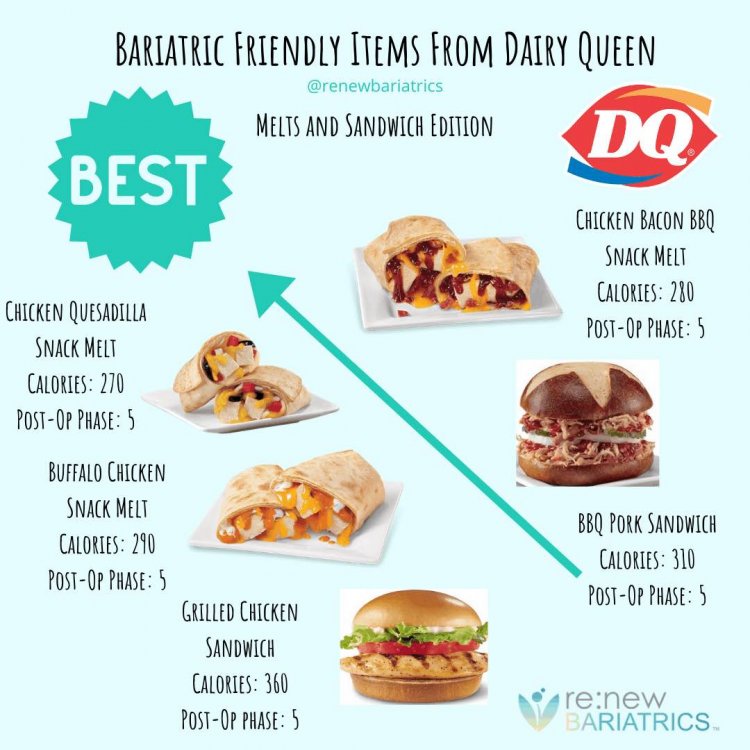
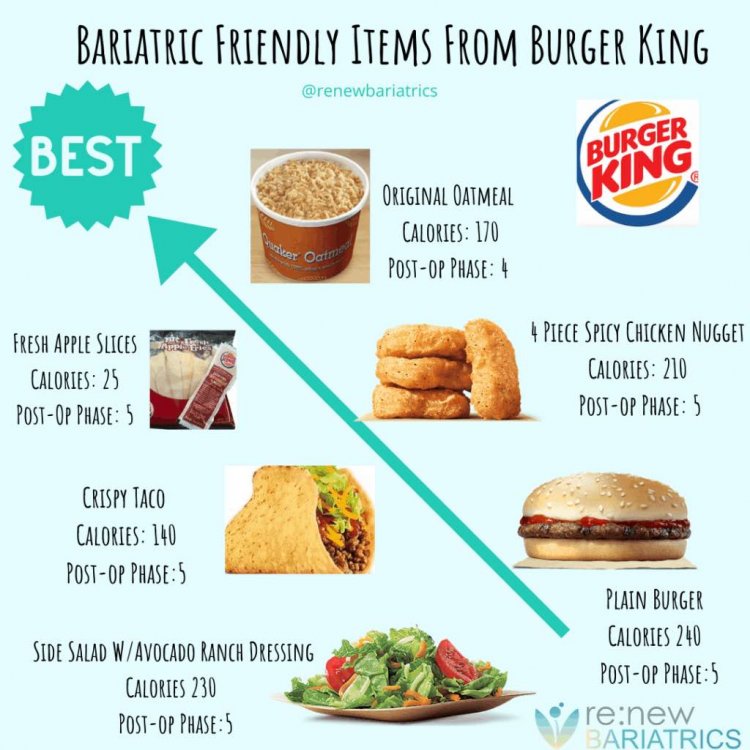
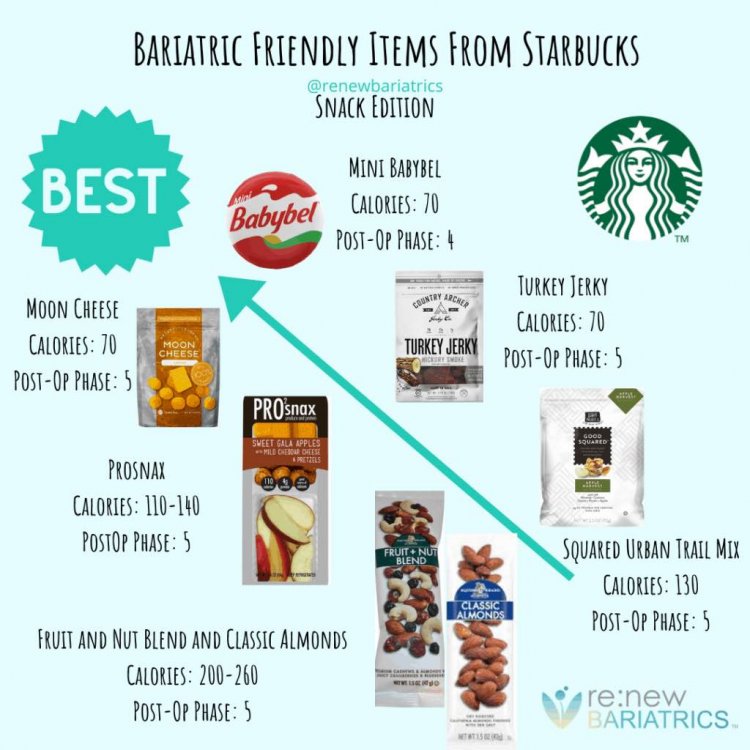
Please share some meals or items that you have found to be friendly to our life style moving forward...nd portions. Thanks