




Start here
Where are you in your journey?
Choose the path that fits today. We’ll take you to the most useful discussions.
- GLP-1 medication Zepbound, Wegovy, access, side effects, progress, and support.
- Before surgery Compare procedures, plan ahead, and get honest pre-op answers.
- Post-op Recovery, food stages, symptoms, and support.
- Long-term Regain, labs, habits, and life after the honeymoon.
- Revision Explore revision options, complications, and next steps.
19 lbs. To go!!!
- Replies 18
- Views 1.5k
- Created
- Last Reply
Top Posters In This Topic
-
AlteredReality 8 posts
-
misschoc72 1 post
-
Lisa kinnell 1 post
-
Bypassgirl92 1 post




Most Popular Posts
-
Fantastic results your an inspiration!
-
You look great ?? keep up the amazing work im new to the bypass laugh I’m revised from sleeve on 12/3 so far I have no complaints yet
-
You look awesome
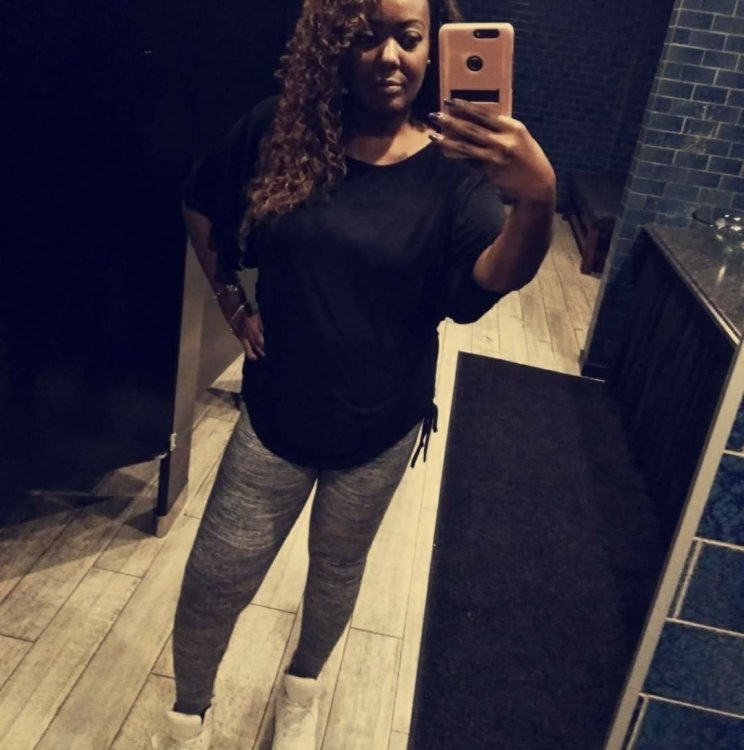
I just can't reiterate enough on how glad I am that I decided to have surgery[emoji847]!!! My journey started in June of 2017, that's when I decided to go with the gastric bypass. I had to wait for a whole year before I actually had surgery, due to not being able to keep my weight down??♀️. I finally had surgery in June 2018 and it has been the best decision I could have made to regain control of my body and my life. I thought it would take close to a year, to get near my goal weight. However, to my amazement i'm only 19 lbs., away from my goal weight now[emoji1495]♀️!!! Since my journey began up until now, I have lost 113 lbs.! I have noticed that my metabolism has sped up and I now have to have about 5 small meals through the day. My food digest's really fast now and i'm okay with that. I'm so happy that I can be active and do things that I haven't done in many years. It feels awesome to go shopping and not[emoji1496]♀️ have to go in the plus sized(goodbye size 26) section anymore
(Hello size 10)[emoji1494]!!!
RNYGB: 6/25/2018
HW: 297 LBS.
SW: 246 LBS.
CW: 184 LBS.
GW: 165 LBS.