Skip to content
View in the app

A better way to browse. Learn more.

BariatricPal

A full-screen app on your home screen with push notifications, badges and more.

To install this app on iOS and iPadOS
  1. Tap the Share icon in Safari
  2. Scroll the menu and tap Add to Home Screen.
  3. Tap Add in the top-right corner.
To install this app on Android
  1. Tap the 3-dot menu (⋮) in the top-right corner of the browser.
  2. Tap Add to Home screen or Install app.
  3. Confirm by tapping Install.
  • Appearance

Join BariatricPal free

  • Ask your own questions
  • Reply and follow topics
  • Message other members
  • No cost, no spam

Then and Now

  • Popular Post

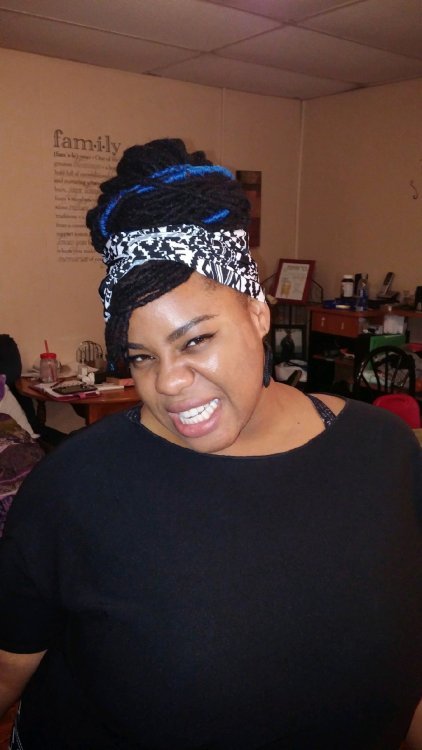
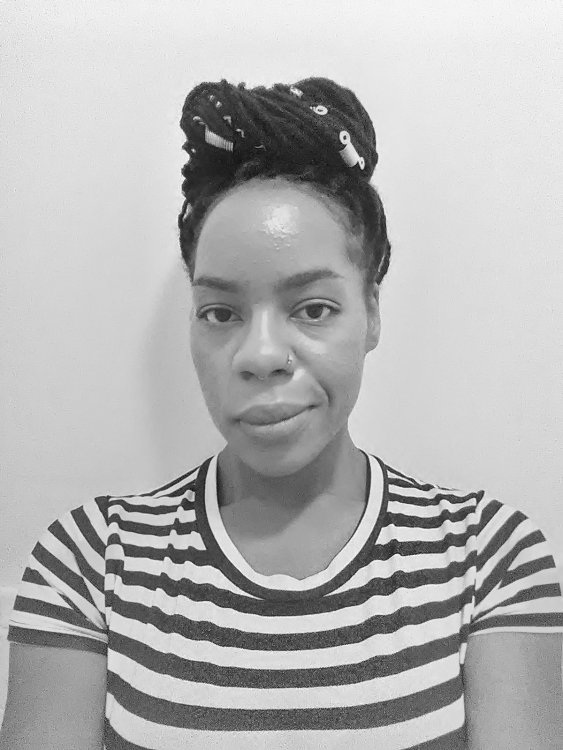
A friend if mine sent this to me this morning, it's from 4 years ago today at my heaviest around 270 maybe higher (honestly probably higher)

Pictures never lie, except on Instagram but whatever,

I'll probably post this in other places but I felt like I needed this space because I don't reflect enough on my accomplishments.

I think everyone should...

0140906_2010421.jpg

IMG_20180903_201048.jpg

  • Replies 15
  • Views 2.3k
  • Created
  • Last Reply

Top Posters In This Topic

Most Popular Posts

  • TakingABreak
    TakingABreak

    You look amazing. And you are right, we should all reflect on our accomplishments more! Congratulations!

  • More love fest ahead! I wish I could triple like this!!! You were a cutey patootie then AND now! Beautiful girl. Congrats!!!

  • Orchids&Dragons
    Orchids&Dragons

    Awesome comparison! You sure do look amazing now! Congrats!
Posted Images

Featured Replies

  • Author
7 minutes ago, wanda247 said:

@GreenTealael Yes you are pretty in both but I’m sure you feel better in the second one health wise...those collar bones though ?

Thanks!!! They are super obvious now, my primary doctor even mention how prominent they are during my physical lol

Join the conversation

You can post now and register later. If you have an account, sign in now to post with your account.

Guest
Reply to this topic...

Account

Navigation

Search

Search

Configure browser push notifications

Chrome (Android)
  1. Tap the lock icon next to the address bar.
  2. Tap Permissions → Notifications.
  3. Adjust your preference.
Chrome (Desktop)
  1. Click the padlock icon in the address bar.
  2. Select Site settings.
  3. Find Notifications and adjust your preference.