Skip to content
View in the app

A better way to browse. Learn more.

BariatricPal

A full-screen app on your home screen with push notifications, badges and more.

To install this app on iOS and iPadOS
  1. Tap the Share icon in Safari
  2. Scroll the menu and tap Add to Home Screen.
  3. Tap Add in the top-right corner.
To install this app on Android
  1. Tap the 3-dot menu (⋮) in the top-right corner of the browser.
  2. Tap Add to Home screen or Install app.
  3. Confirm by tapping Install.

Join BariatricPal free

  • Ask your own questions
  • Reply and follow topics
  • Message other members
  • No cost, no spam

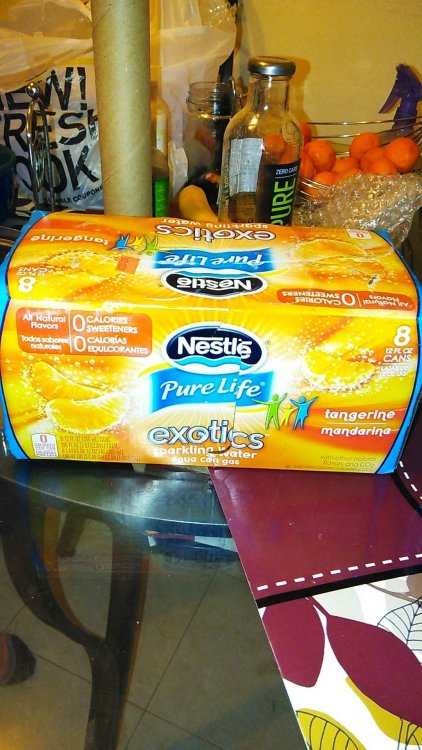
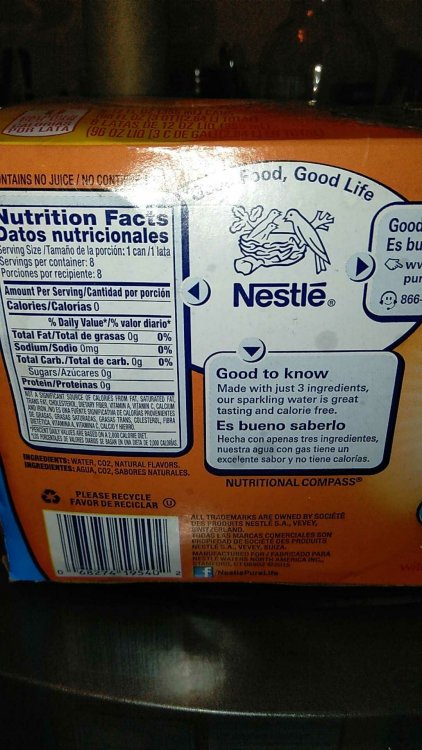
Nestle Pure Life Exotics Sparkling Water

  • Replies 5
  • Views 889
  • Created
  • Last Reply

Featured Replies

"Sparkling water" is carbonated... which means it's a big no no.

Nestle makes a Pure Life non sparkling line that is very good. Comes in mixed berry, lemon, Mandarin orange, and my favorite Acai,Grape. No calories and it even tastes good warm at room temperature. Give it a try! Runs about $1,50 for a 6-pack at Wal-Mart.

Sent from my VS880PP using BariatricPal mobile app

Sparkling water is not good. Carbonated. If you are pre-op then it is fine but after surgery will not be able to have it.

Edited by Sleeve1stFitNext

  • Author
Nestle makes a Pure Life non sparkling line that is very good. Comes in mixed berry, lemon, Mandarin orange, and my favorite Acai,Grape. No calories and it even tastes good warm at room temperature. Give it a try! Runs about $1,50 for a 6-pack at Wal-Mart.
Sent from my VS880PP using BariatricPal mobile app

Thank you so much definitely going today.
  • Author
Sparkling water is not good. Carbonated. If you are pre-op then it is fine but after surgery will not be able to have it.

Okay just wanted to check. Glad I asked. Thank you.

Archived

This topic is now archived and is closed to further replies.

Account

Navigation

Search

Search

Configure browser push notifications

Chrome (Android)
  1. Tap the lock icon next to the address bar.
  2. Tap Permissions → Notifications.
  3. Adjust your preference.
Chrome (Desktop)
  1. Click the padlock icon in the address bar.
  2. Select Site settings.
  3. Find Notifications and adjust your preference.