




Skip to content
View in the app

A better way to browse. Learn more.

BariatricPal

A full-screen app on your home screen with push notifications, badges and more.

To install this app on iOS and iPadOS
  1. Tap the Share icon in Safari
  2. Scroll the menu and tap Add to Home Screen.
  3. Tap Add in the top-right corner.
To install this app on Android
  1. Tap the 3-dot menu (⋮) in the top-right corner of the browser.
  2. Tap Add to Home screen or Install app.
  3. Confirm by tapping Install.

Join BariatricPal free

  • Ask your own questions
  • Reply and follow topics
  • Message other members
  • No cost, no spam

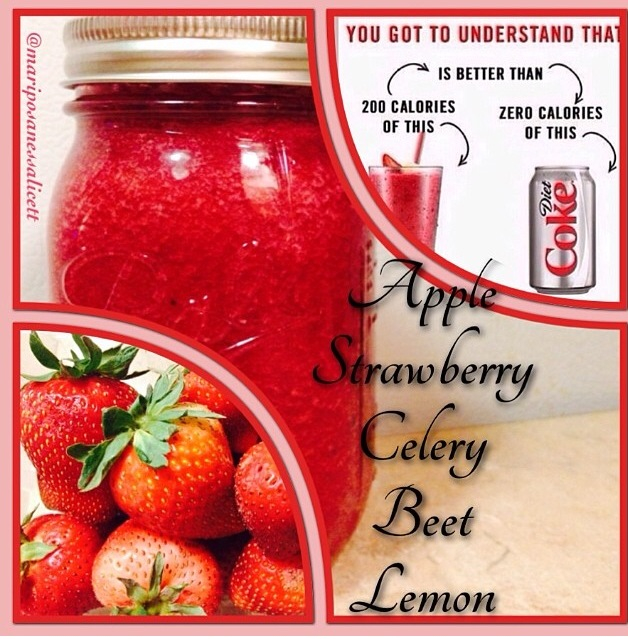
Love waking up to my juice and smoothies!

  • Replies 4
  • Views 806
  • Created
  • Last Reply

Featured Replies

Can u give me the recipe?

  • Author

Sure. That was one apple, celery, strawberry, beat and lemon. I make several kinds. There are recipes all over the internet. 5 months post op haven't lost a strand of hair :)

Wow, thanks. My hair started shedding 3 months out. It stopped about 2 months ago. Now, I'm trying to get my hair back. I'm using everything. I'm going to try this on a regular basis. Thanks again!!!

I wish I had the tome to prepare a smoothie in the mornings, I would do them everyday. However, when I am around one I will go to a Jamba Juice and order a mango peach protein boost smoothie. So good!

Archived

This topic is now archived and is closed to further replies.

Account

Navigation

Search

Search

Configure browser push notifications

Chrome (Android)
  1. Tap the lock icon next to the address bar.
  2. Tap Permissions → Notifications.
  3. Adjust your preference.
Chrome (Desktop)
  1. Click the padlock icon in the address bar.
  2. Select Site settings.
  3. Find Notifications and adjust your preference.