




Skip to content
View in the app

A better way to browse. Learn more.

BariatricPal

A full-screen app on your home screen with push notifications, badges and more.

To install this app on iOS and iPadOS
  1. Tap the Share icon in Safari
  2. Scroll the menu and tap Add to Home Screen.
  3. Tap Add in the top-right corner.
To install this app on Android
  1. Tap the 3-dot menu (⋮) in the top-right corner of the browser.
  2. Tap Add to Home screen or Install app.
  3. Confirm by tapping Install.

Join BariatricPal free

  • Ask your own questions
  • Reply and follow topics
  • Message other members
  • No cost, no spam

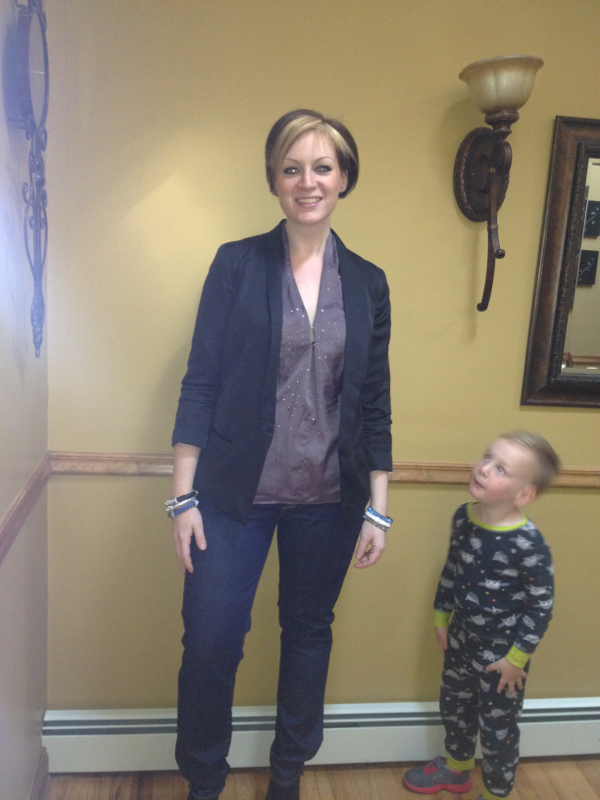
Yesterday was a year since my surgery!

  • Replies 26
  • Views 2.4k
  • Created
  • Last Reply

Featured Replies

Wow that is awesome! What are your best tips for those of us just starting out?

Gorgeous !

  • Author
Wow that is awesome! What are your best tips for those of us just starting out?

The best advice I can give u is stick to the plan. It really works. If u ate and feel hunger, the odds are u are probably thirsty and need water.

If u have a bad day, don't beat yourself up. Constantly recognize your goals and be proud of yourself no matter what. Everyone deserves to be happy. This surgery was the catalyst for me to get my life in order

You look beautiful! Congrats!!

Congratulations, you look amazing!

You are an inspiration. I am close to the same stats as you and I hope that I make it to where you are now. Congratulations!

I'm 5'6 and I started at 275. I am now 157

Do u have any problems with the excess skin ? You look good !

  • Author

Do u have any problems with the excess skin ? You look good !

A little. It's not horrible but not how a 30yr old should look.

I'm 5'6 and I started at 275. I am now 157

Congrats!! You look amazing. :)

~Kat

Your pictures are beautiful (before and after) and so encouraging for a newbie like me. Thanks for posting and BIG CONGRATS!

Archived

This topic is now archived and is closed to further replies.

Account

Navigation

Search

Search

Configure browser push notifications

Chrome (Android)
  1. Tap the lock icon next to the address bar.
  2. Tap Permissions → Notifications.
  3. Adjust your preference.
Chrome (Desktop)
  1. Click the padlock icon in the address bar.
  2. Select Site settings.
  3. Find Notifications and adjust your preference.