Skip to content
View in the app

A better way to browse. Learn more.

BariatricPal

A full-screen app on your home screen with push notifications, badges and more.

To install this app on iOS and iPadOS
  1. Tap the Share icon in Safari
  2. Scroll the menu and tap Add to Home Screen.
  3. Tap Add in the top-right corner.
To install this app on Android
  1. Tap the 3-dot menu (⋮) in the top-right corner of the browser.
  2. Tap Add to Home screen or Install app.
  3. Confirm by tapping Install.
  • Appearance

Join BariatricPal free

  • Ask your own questions
  • Reply and follow topics
  • Message other members
  • No cost, no spam

Almost 50 pounds before and after picture

8 weeks exactly since I started preop diet... Was sleeved on Dec 6th. Down exactly 47 pounds... I thought I looked almost the same until I was comparing my before and after pic.

  • Replies 16
  • Views 1.6k
  • Created
  • Last Reply

Top Posters In This Topic

Most Popular Posts

Posted Images

Featured Replies

  • Author

Thank you I definitely feel different already. My clothes are lose and my feet don't hurt as badly as they use to either. I love my sleeve! lol

u look great !!!!we had our surgeries close !mine was on the 8th ...and ive lost 49 ish pounds and thats including my heaviest weight.... the scale hasnt really moved much in the last month,and ive been bummed but my clothes are super super big now !!!Best of luck to ya !!!U look great !

sorry !!!! :) i accidentally made 2 posts and tried to delete them both ........oops !!! i will try once more !!!!

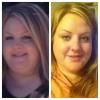
this is me last may..at 251 lbs!

and this is me taken 1 week ago at 203 lbs ! ...6 weeks post op!

post-47339-13813662560486_thumb.jpg

post-47339-13813662561401_thumb.jpg

Join the conversation

You can post now and register later. If you have an account, sign in now to post with your account.

Guest
Reply to this topic...

Account

Navigation

Search

Search

Configure browser push notifications

Chrome (Android)
  1. Tap the lock icon next to the address bar.
  2. Tap Permissions → Notifications.
  3. Adjust your preference.
Chrome (Desktop)
  1. Click the padlock icon in the address bar.
  2. Select Site settings.
  3. Find Notifications and adjust your preference.