Skip to content
View in the app

A better way to browse. Learn more.

BariatricPal

A full-screen app on your home screen with push notifications, badges and more.

To install this app on iOS and iPadOS
  1. Tap the Share icon in Safari
  2. Scroll the menu and tap Add to Home Screen.
  3. Tap Add in the top-right corner.
To install this app on Android
  1. Tap the 3-dot menu (⋮) in the top-right corner of the browser.
  2. Tap Add to Home screen or Install app.
  3. Confirm by tapping Install.

Join BariatricPal free

  • Ask your own questions
  • Reply and follow topics
  • Message other members
  • No cost, no spam

Great: Keep Track Of Water, Ladies!

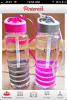
I know this is a girlier version to try, but I came across it on Pinterest!

post-29345-13813658933562_thumb.jpg

  • Replies 5
  • Views 711
  • Created
  • Last Reply

Top Posters In This Topic

Posted Images

Featured Replies

Those are great! I have got to buckle down on tracking water intake!

Awesome idea!! I always timed it "i have to finish this bottle before 11, this bottle before 4... this bottle before 8" etc... it didn't always work lol! I have a re-fillable bottle and sometimes I would forget if I refilled it or not!

where did you get them? did they come like this

where did you get them? did they come like this

I didn't buy them, but this person I believe just bought some kind of regular Water bottle container of her liking and took a sharpie and other shiney sparkly stuff to label the times.

Join the conversation

You can post now and register later. If you have an account, sign in now to post with your account.

Guest
Reply to this topic...

Account

Navigation

Search

Search

Configure browser push notifications

Chrome (Android)
  1. Tap the lock icon next to the address bar.
  2. Tap Permissions → Notifications.
  3. Adjust your preference.
Chrome (Desktop)
  1. Click the padlock icon in the address bar.
  2. Select Site settings.
  3. Find Notifications and adjust your preference.