Skip to content
View in the app

A better way to browse. Learn more.

BariatricPal

A full-screen app on your home screen with push notifications, badges and more.

To install this app on iOS and iPadOS
  1. Tap the Share icon in Safari
  2. Scroll the menu and tap Add to Home Screen.
  3. Tap Add in the top-right corner.
To install this app on Android
  1. Tap the 3-dot menu (⋮) in the top-right corner of the browser.
  2. Tap Add to Home screen or Install app.
  3. Confirm by tapping Install.
  • Appearance

Join BariatricPal free

  • Ask your own questions
  • Reply and follow topics
  • Message other members
  • No cost, no spam

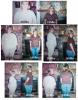
I'm Offically 100 pounds down!!!!

  • Replies 74
  • Views 4.6k
  • Created
  • Last Reply

Top Posters In This Topic

Posted Images

Featured Replies

:eek: :confused: :waytogo: :clap: :pray2: Congratulations.......How sweet it is!! I really needed to hear that today. The grazing cow is mooing....I trying hard to shush it today. This is what I needed to see.

  • Author

Thanks everybody.

Robyn~ Yes you can add me to the 100 club I'm proud to finally be there.

I'm thrilled that I can inspiration to you all...I deffinaly feel like I have days I could do better. Each day is new and can be a fresh start...so I just get up and try to do good today and worry about tomorrow...tomorrow. I never thought I'd lose this much and for that I'm just gratful that I have. :clap2: I love you all thanks for all your suport and I love my band!!!

Hubby has been trying to move our computer around. We got a wall unit computer desk with shelves above it..hoping to get scanner up and working and some pictures posted soon!!! You should see this room right now!!!!:) Clutter city!!!!

  • 1 month later...

Join the conversation

You can post now and register later. If you have an account, sign in now to post with your account.

Guest
Reply to this topic...

Account

Navigation

Search

Search

Configure browser push notifications

Chrome (Android)
  1. Tap the lock icon next to the address bar.
  2. Tap Permissions → Notifications.
  3. Adjust your preference.
Chrome (Desktop)
  1. Click the padlock icon in the address bar.
  2. Select Site settings.
  3. Find Notifications and adjust your preference.