Skip to content
View in the app

A better way to browse. Learn more.

BariatricPal

A full-screen app on your home screen with push notifications, badges and more.

To install this app on iOS and iPadOS
  1. Tap the Share icon in Safari
  2. Scroll the menu and tap Add to Home Screen.
  3. Tap Add in the top-right corner.
To install this app on Android
  1. Tap the 3-dot menu (⋮) in the top-right corner of the browser.
  2. Tap Add to Home screen or Install app.
  3. Confirm by tapping Install.
  • Appearance

Join BariatricPal free

  • Ask your own questions
  • Reply and follow topics
  • Message other members
  • No cost, no spam

I'm Offically 100 pounds down!!!!

  • Replies 74
  • Views 4.7k
  • Created
  • Last Reply

Top Posters In This Topic

Posted Images

Featured Replies

  • Author

Thanks everbody!!! I never thought I'd see this milestone but I'm sure glad I did!!!!

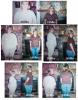
Diane & Mary~ I have before pictures and will be getting my after pictures back in a few days ...I'll post them soon okay!!

Jamie I am so happy for you!!!! When you told me on the phone I was so excited, even thourgh all my problems I couldnt be more happier right now!!!!!! (((((((((((((((((hugs))))))))))))))) oh theres nothing there mrs skinny! Love ya girl!!!!!!!!!!!!!!!

Congratulations, Jamie! I can't even imagine how proud and happy you must be! That's an awesome event, and I hope you celebrate however way you enjoy the most! You give hope to the rest of us who are just getting started. Can't wait to see your photos.

Emily

  • Author
Whooooo Hoooooo! Congrats to you Jamie! You have done an awsome job with your band. OK, now you have given me the kick I need to get back on track and lose those last 8 pounds! :) :) :rant:

You can do it your so close...but if you want me to offically kick you ...here yah go:bump2: well that was a bump I guess!!! LOL!!!

I'll post pictures soon guys thanks for all the encouraging words...without all of you and my band I would have never made it this far!!! Thanks:grouphug:

Join the conversation

You can post now and register later. If you have an account, sign in now to post with your account.

Guest
Reply to this topic...

Account

Navigation

Search

Search

Configure browser push notifications

Chrome (Android)
  1. Tap the lock icon next to the address bar.
  2. Tap Permissions → Notifications.
  3. Adjust your preference.
Chrome (Desktop)
  1. Click the padlock icon in the address bar.
  2. Select Site settings.
  3. Find Notifications and adjust your preference.