




Start here
Where are you in your journey?
Choose the path that fits today. We’ll take you to the most useful discussions.
- GLP-1 medication Zepbound, Wegovy, access, side effects, progress, and support.
- Before surgery Compare procedures, plan ahead, and get honest pre-op answers.
- Post-op Recovery, food stages, symptoms, and support.
- Long-term Regain, labs, habits, and life after the honeymoon.
- Revision Explore revision options, complications, and next steps.
Whoo, whoo....great NSV this weekend!!
- Replies 4
- Views 734
- Created
- Last Reply
Top Posters In This Topic
-
the best me 1 post
-
Margo 1 post
-
banded_for_life 1 post
-
PhotoNut 1 post

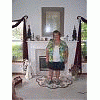


Just had to share my great NSV this weekend with you guys.....went to a wedding this weekend. First of all, usually hate these types of social events since you need to "dress up", but not this time! Got a new outfit that not only looked great, but it was comfortable too....hubby told me I looked great several times:biggrin1: . Then to top things off....I danced all night long and had a blast. I have not danced at a social event for years, but last night I "cut a rug", my friends. Felt confident, felt good and had fun....life is good!!!!